

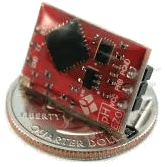
EZO 传感器电路
ezo 传感器平台允许您使用 EZO 传感器电路与
ESPHome 配合使用。需要在配置中设置 I²C 总线 才能使此传感器工作。
EZO 的所有嵌入式解决方案可以在其网站上找到。
如果某个命令不直接支持,可以通过 send_custom() 方法调用执行。
# 示例配置条目sensor:
  - platform: ezo    id: ph_ezo    address: 99    unit_of_measurement: "pH"    update_interval: 10s
- platform: ezo id: rtd_ezo name: "RTD Temperature" address: 102 accuracy_decimals: 2 unit_of_measurement: "°C" update_interval: 10s自动化触发器:
-
on_led (可选, 动作): 当
get_led_state()的结果就绪时触发。LED 状态以名为x的布尔变量提供。 -
on_device_information (可选, 动作): 当
get_device_information()的结果就绪时触发。 结果以名为x的std::string变量提供。 -
on_slope (可选, 动作): 当
get_slope()的结果就绪时触发。结果 以名为x的std::string变量提供。 -
on_calibration (可选, 动作): 当
get_calibration()的结果就绪时触发。 结果以名为x的std::string变量提供。 -
on_t (可选, 动作): 当
get_t()的结果就绪时触发。结果以名为x的std::string变量提供。 -
on_custom (可选, 动作): 当
get_custom()的结果就绪时触发。结果以名为x的std::string变量提供。
Lambda 调用
Section titled “Lambda 调用”从 lambda,您可以以各种方式与传感器交互。对于任何 get 命令,将使用从传感器检索到的信息调用触发器。
有关命令的详细信息,请参阅数据手册。
set_i2c(uint8_t address): 设置设备的 I2C 地址,必须是 1 到 127 之间的整数
id(ph_ezo).set_i2c(100);get_device_information(): 传感器检索校准信息并在完成后触发on_device_information:
id(ph_ezo).get_device_information();set_sleep(): 使设备进入睡眠
id(ph_ezo).set_sleep();get_state(): 对当前传感器执行读取。
id(ph_ezo).get_state();get_slope(): 传感器检索斜率并在完成后触发on_slope:
id(ph_ezo).get_slope();get_t(): 传感器检索温度补偿值(摄氏度)并在完成后触发on_t:
id(ph_ezo).get_t();set_t(float value): 将给定温度(摄氏度)发送给传感器。
id(ph_ezo).set_t("27.00");set_tempcomp_value(float temp): 将给定温度(摄氏度)发送给传感器(这是set_t()的别名,用于向后兼容)
id(ph_ezo).set_tempcomp_value(id(rtd_ezo).state);get_calibration(): 传感器检索校准信息并在完成后触发on_calibration:
id(ph_ezo).get_calibration();set_calibration_generic(float value): 设置无点的校准。
id(ph_ezo).set_calibration_generic(750.0);set_calibration_point_low(float value): 设置低校准点。
id(ph_ezo).set_calibration_point_low(4.00);set_calibration_point_mid(float value): 设置中校准点。
id(ph_ezo).set_calibration_point_mid(7.00);set_calibration_point_high(float value): 设置高校准点。
id(ph_ezo).set_calibration_point_high(10.00);clear_calibration(): 清除所有校准点。
id(ph_ezo).clear_calibration();get_led_state(): 传感器 LED 状态并在完成后触发on_led:
id(ph_ezo).get_led_state();set_led_state(bool on): 传感器 LED 开或关
id(ph_ezo).set_led_state(true);send_custom(const std::string &payload, uint16_t delay_ms = 300, bool response_expected = false): 运行自定义命令。这会发送payload中的确切内容。您可以选择设置delay以及是否有需要解析的预期响应。自定义命令默认为false。如果有响应则触发on_custom:。
// 运行自定义命令以打开 LED id(ph_ezo).send_custom("L,1");