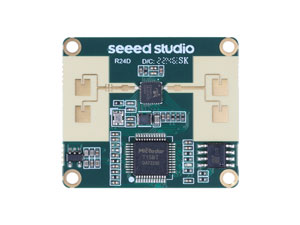
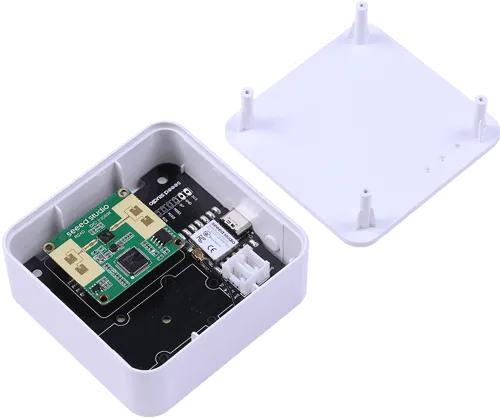
Seeed Studio MR24HPC1 mmWave(套件)
组件/集线器
Section titled “组件/集线器”seeed_mr24hpc1 平台允许您在 ESPHome 中使用 Seeed Studio 24GHz mmWave 传感器 -
人体静态存在模块精简版 (产品页面) 和
Seeed Studio mmWave 人体检测传感器套件 (产品页面)。
需要在配置中设置 UART 才能使此传感器工作,parity 和 stop_bits 必须分别设置为 NONE 和 1。
您可以使用 ESP32 软件或硬件串口来使用此 MR24HPC1,其默认波特率为 115200。
# 配置示例seeed_mr24hpc1:-
id (可选, ID): 如果需要多个组件,请手动指定此 Seeed Mr24Hpc1 组件的 ID。
二进制传感器
Section titled “二进制传感器”seeed_mr24hpc1 二进制传感器允许您执行不同的测量。
binary_sensor: - platform: seeed_mr24hpc1 has_target: name: "存在信息"- has_target (可选): 如果为 true,则检测到目标处于静止或运动状态。 所有选项来自 二进制传感器。
seeed_mr24hpc1 传感器允许您执行不同的测量。
sensor: - platform: seeed_mr24hpc1 custom_presence_of_detection: name: "静态距离" movement_signs: name: "人体运动参数" custom_motion_distance: name: "运动距离" custom_spatial_static_value: name: "存在能量" custom_spatial_motion_value: name: "运动能量" custom_motion_speed: name: "运动速度" custom_mode_num: name: "当前自定义模式"-
custom_presence_of_detection (可选, 浮点数): 仅对底层开放功能有效。 雷达检测人体呼吸的直线距离,通常不超过 3 米。 所有选项来自 传感器。
-
movement_signs (可选, 整数): 由内置算法计算的值,用于判断当前环境中是否有人移动。 当值为 0 时,雷达判断环境中没有人。当值为 1 时, 雷达判断环境中有人且处于静止状态。 当值大于 1 时,雷达判断环境中有人且处于运动状态。 值越大,运动越强。 所有选项来自 传感器。
-
custom_motion_distance (可选, 浮点数): 仅对底层开放功能有效。 检测到的运动目标的距离(米)。 所有选项来自 传感器。
-
custom_spatial_static_value (可选, 整数): 仅对底层开放功能有效。 环境中存在电磁波,当没有人时频率变化较低。 当有人在空间中呼吸(胸部呼吸微动)时,整体空间电磁波反射值微弱浮动。 此值的输出范围为 0-250。 所有选项来自 传感器。
-
custom_spatial_motion_value (可选, 整数): 仅对底层开放功能有效。 运动幅度值,不同的运动幅度引起不同的电磁波频率变化。 此值的输出范围为 0-250。 所有选项来自 传感器。
-
custom_motion_speed (可选, 浮点数): 仅对底层开放功能有效。 实时判断目标运动的速度大小。接近雷达速度为正,远离为负。 当没有运动速度时,值为 0,速度档位以 0.5m/s 为增量。 所有选项来自 传感器。
-
custom_mode_num (可选, 整数): 雷达当前所处的自定义模式编号。如果不在自定义模式中,则值为 0。 所有选项来自 传感器。
seeed_mr24hpc1 开关允许您控制设备。
switch: - platform: seeed_mr24hpc1 underlying_open_function: name: 底层开放功能信息输出开关- underlying_open_function (可选): 启用/禁用底层开放功能。当此开关关闭时,表示当前处于标准模式。 默认关闭(标准模式)。开启此功能可以让您观察更多环境信息,建议在基本功能不足以应对的复杂环境中使用。 当此功能开启时,基本功能的静止/运动和接近/远离判断将被禁用。请注意这需要更多资源,不建议在不需要时启用。 所有选项来自 开关。
seeed_mr24hpc1 数值组件允许您控制配置。
number: - platform: seeed_mr24hpc1 sensitivity: name: "灵敏度" custom_mode: name: "自定义模式" existence_threshold: name: "存在能量阈值" motion_threshold: name: "运动能量阈值" motion_trigger: name: "运动触发时间" motion_to_rest: name: "运动到静止时间" custom_unman_time: name: "进入无人状态时间(自定义模式)"- sensitivity (可选, 整数): 仅在标准模式下有效。用于调整雷达的灵敏度。 灵敏度设置调整传感器对静止状态人体的检测距离。 灵敏度设置有 3 个级别,默认级别为灵敏度 3。 所有选项来自 数值。
| 灵敏度 | 检测半径 (m) |
|---|---|
| 1 | 2.5m |
| 2 | 3m |
| 3 | 4m |
-
custom_mode (可选, 整数): 设置并进入自定义模式选项。某些功能模块只能在自定义模式下设置。 自定义模式有四个存储区域。当您完成设置并点击设置结束按钮时,雷达将应用您设置的自定义模式选项。 所有选项来自 数值。
-
existence_threshold (可选, 整数): 仅在自定义模式设置中有效。 此项对应 custom_spatial_static_value。 当
custom_spatial_static_value的值大于设定值时,雷达将判断有人静止, 否则将判断没有人。 默认值为33。 所有选项来自 数值。 -
motion_threshold (可选, 整数): 仅在自定义模式设置中有效。 此项对应 custom_spatial_motion_value。 当
custom_spatial_motion_value的值大于设定值时,雷达将判断有人移动, 否则将判断有人静止。 默认值为4。 所有选项来自 数值。 -
motion_trigger (可选, 整数): 仅在自定义模式设置中有效。 用于运动触发的时间累积,多次判断触发以减少误报。 可与
motion_threshold和motion_boundary配合使用以限制性能。 默认值为150ms。 所有选项来自 数值。 -
motion_to_rest (可选, 整数): 仅在自定义模式设置中有效。 设置雷达判断从人体运动到人体静止的时间。 可与
existence_threshold和motion_threshold配合使用以限制性能。 默认值为3000ms。 所有选项来自 数值。 -
custom_unman_time (可选, 整数): 仅在自定义模式设置中有效。 设置雷达判断从人体存在到无人状态的时间。 可与
existence_threshold和existence_boundary配合使用以限制性能。 默认值为30s。 所有选项来自 数值。
seeed_mr24hpc1 按钮允许您执行操作。
button: - platform: seeed_mr24hpc1 restart: name: "模块重启" custom_set_end: name: "自定义模式设置结束"- restart (可选): 重启设备。所有选项来自 按钮。
- custom_set_end (可选): 仅在自定义模式设置中有效。 此按钮用于结束当前自定义模式设置并启用该自定义模式。 所有选项来自 按钮。
seeed_mr24hpc1 文本传感器允许您获取设备信息。
text_sensor: - platform: seeed_mr24hpc1 heart_beat: name: "心跳" product_model: name: "产品型号" product_id: name: "产品 ID" hardware_model: name: "硬件型号" hardware_version: name: "硬件版本" keep_away: name: "接近主动报告" motion_status: name: "运动信息" custom_mode_end: name: "自定义模式状态"-
heart_beat (可选): 传感器工作状态指示器。 所有选项来自 文本传感器。
-
product_model (可选): 产品型号。 所有选项来自 文本传感器。
-
product_id (可选): 产品 ID。 所有选项来自 文本传感器。
-
hardware_model (可选): 硬件型号。 所有选项来自 文本传感器。
-
hardware_version (可选): 硬件版本。 所有选项来自 文本传感器。
-
keep_away (可选): 检测物体接近或远离的指示器。 所有选项来自 文本传感器。
-
motion_status (可选): 检测物体运动或静止的指示器。 所有选项来自 文本传感器。
-
custom_mode_end (可选): 用于指示当前雷达是否处于设置功能中的自定义模式。 主要有三种状态:“不在自定义模式”、“设置中…”和”设置成功!”。 所有选项来自 文本传感器。
seeed_mr24hpc1 选择器允许您控制配置。
select: - platform: seeed_mr24hpc1 scene_mode: name: "场景" unman_time: name: "进入无人状态时间(标准功能)" existence_boundary: name: "存在边界" motion_boundary: name: "运动边界"- scene_mode (可选): 仅在标准模式下有效。用于在标准模式中选择预设场景。 场景模式的功能是调整传感器识别人体运动的最大检测范围(传感器的最大检测距离)。 场景模式有 4 种模式,默认模式为客厅模式。每种场景模式的检测范围值见下表。 所有选项来自 选择器。
| 场景模式 | 检测半径 (m) |
|---|---|
| 客厅 | 4m - 4.5m |
| 卧室 | 3.5m - 4m |
| 浴室 | 2.5m - 3m |
| 区域检测 | 3m - 3.5m |
-
unman_time: 仅在标准模式下有效。 与
custom_unman_time相同,但此设置仅在标准模式下有效。 所有选项来自 选择器。 -
existence_boundary: 仅在自定义模式设置中有效。 雷达检测到的最远静止目标的距离。用于减少雷达误报。减少检测范围外的干扰。 默认值为
5m。 所有选项来自 选择器。 -
motion_boundary: 仅在自定义模式设置中有效。 雷达检测到的最远运动目标的距离。用于减少雷达误报。 减少检测范围外门、门外移动物体的玻璃干扰。 默认值为
5m。 所有选项来自 选择器。
Home Assistant 卡片
Section titled “Home Assistant 卡片”为了更直观地查看传感器数据,您可以使用下面的自定义卡片。
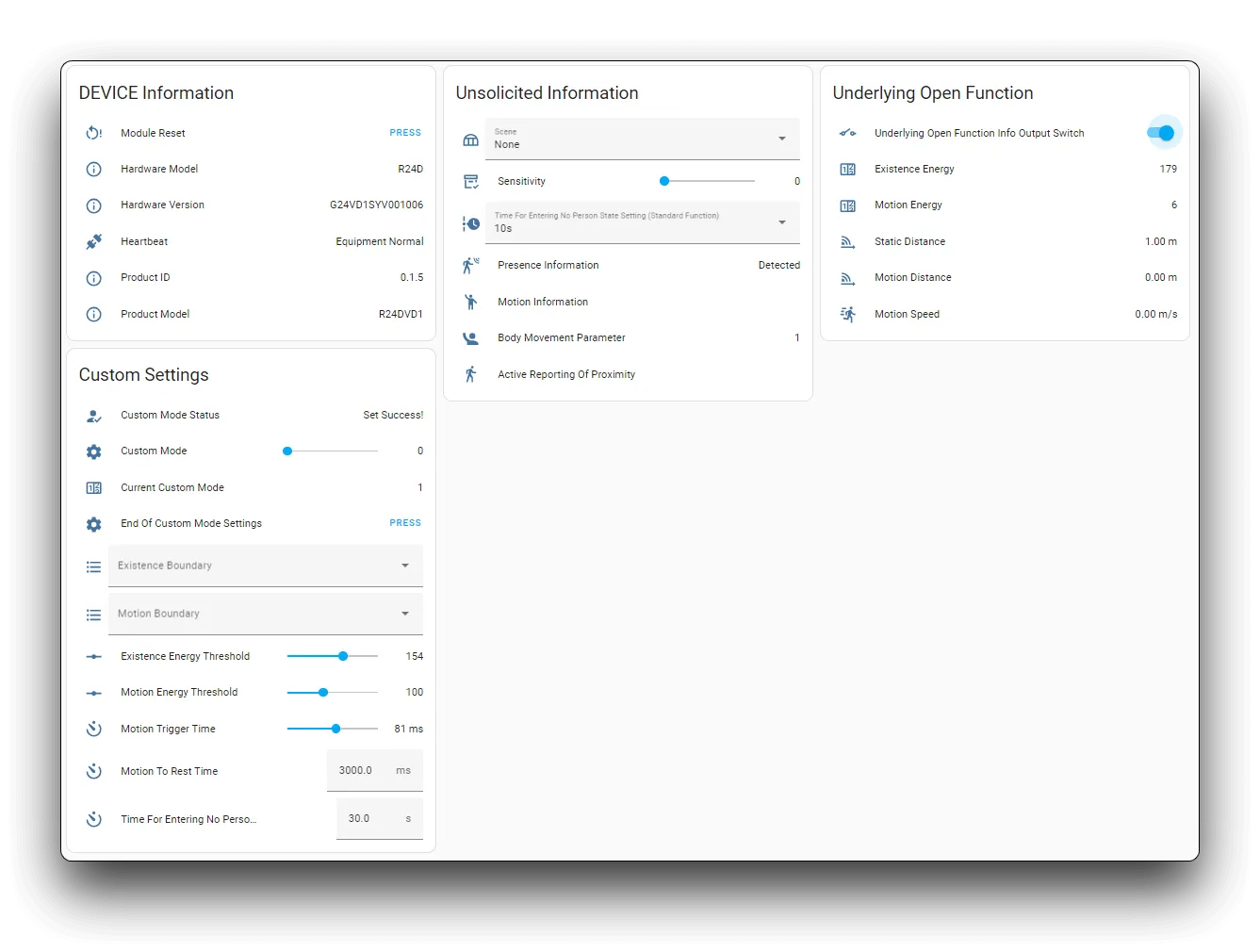
- type: horizontal-stack cards: - type: entities entities: - entity: button.{$DEVICE}_module_restart name: 模块重启 - entity: sensor.{$DEVICE}_hardware_model name: 硬件型号 - entity: sensor.{$DEVICE}_hardware_version name: 硬件版本 - entity: sensor.{$DEVICE}_heartbeat name: 心跳 - entity: sensor.{$DEVICE}_product_id name: 产品 ID - entity: sensor.{$DEVICE}_product_model name: 产品型号 title: {$DEVICE} 信息- type: vertical-stack cards: - type: entities entities: - entity: select.{$DEVICE}_scene name: 场景 - entity: number.{$DEVICE}_sensitivity name: 灵敏度 - entity: select.{$DEVICE}_time_for_entering_no_person_state_standard_function name: 进入无人状态时间设置(标准功能) - entity: binary_sensor.{$DEVICE}_presence_information name: 存在信息 - entity: sensor.{$DEVICE}_motion_information name: 运动信息 - entity: sensor.{$DEVICE}_body_movement_parameter name: 人体运动参数 - entity: sensor.{$DEVICE}_active_reporting_of_proximity name: 接近主动报告 title: 主动上报信息- type: horizontal-stack cards: - type: entities entities: - entity: switch.{$DEVICE}_underlying_open_function_info_output_switch name: 底层开放功能信息输出开关 - entity: sensor.{$DEVICE}_existence_energy name: 存在能量 - entity: sensor.{$DEVICE}_motion_energy name: 运动能量 - entity: sensor.{$DEVICE}_static_distance name: 静态距离 - entity: sensor.{$DEVICE}_motion_distance name: 运动距离 - entity: sensor.{$DEVICE}_motion_speed name: 运动速度 title: 底层开放功能- type: horizontal-stack cards: - type: entities entities: - entity: sensor.{$DEVICE}_custom_mode_status name: 自定义模式状态 - entity: number.{$DEVICE}_custom_mode name: 自定义模式 - entity: sensor.{$DEVICE}_current_custom_mode name: 当前自定义模式 - entity: button.{$DEVICE}_end_of_custom_mode_settings name: 自定义模式设置结束 - entity: select.{$DEVICE}_existence_boundary name: 存在边界 - entity: select.{$DEVICE}_motion_boundary name: 运动边界 - entity: number.{$DEVICE}_existence_energy_threshold name: 存在能量阈值 - entity: number.{$DEVICE}_motion_energy_threshold name: 运动能量阈值 - entity: number.{$DEVICE}_motion_trigger_time name: 运动触发时间 - entity: number.{$DEVICE}_motion_to_rest_time name: 运动到静止时间 - entity: number.{$DEVICE}_time_for_entering_no_person_state_custom_mode name: 进入无人状态时间(自定义模式) title: 自定义设置然后将所有 {$DEVICE} 替换为您的设备名称
结果: