

Android Companion 2022.2: Local Push Notifications!
Hey Everyone! It's time for the next Android 发布 and we are really excited to get this one out. Lots of changes for all versions of the app, including Wear OS and Quest 设备.
Backward-incompatible changes
We have a pretty big 发布 this month with a lot of changes going on. Some of these changes are noticeable as soon as you 更新 the app, so let's 遮盖 those first.
Local Push 通知
The first major change that we want to 遮盖 is for Local Push 通知. Before this 发布, all 通知 were routed via Google. Now 通知 can be delivered directly from your Home Assistant server if you have remote access set up. These 通知 do not count towards the rate limit and are shown on the 设备 immediately, every time.
So what's the breaking change? The app needs to establish and maintain a constant connection to your Home Assistant server with WebSockets. In order to do this, we have to create a persistent 通知 and this can be upsetting to some users.
A persistent 通知 lets Android know the app has important ongoing tasks where we do not want the background process stopped. The purpose of this 通知 is identical to our 传感器 Worker, which allows the app to continue sending 传感器 updates while in the background. Just like 传感器 Worker, our WebSockets 通知 also has its own 通知 channel to allow you to customize the appearance. You are free to minimize (or silence) this 通知 to hide the icon from appearing in your status bar.
You may also decide to 关闭 the channel. While there is nothing preventing you from turning it off, if you run into connection issues you will be asked to turn the channel back on.
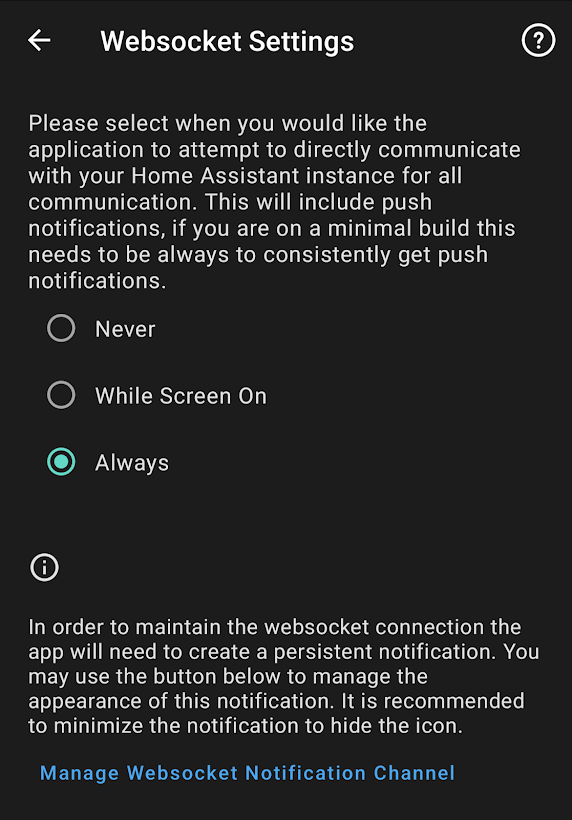
The persistent 通知 will contain an actionable button taking you directly to the 设置 page. From here you can adjust the persistent connection behavior and modify the 通知 channel. The persistent 通知 will only be present when an active connection to your server is being maintained.
If you are on the minimal 版本 of the app will have the default persistent connection set to "Always" as this is the only way the app can receive 通知 from your server. If not, you will have the default setting "Never", where the app will continue to receive 通知 from Firebase. If you are on the minimal 版本 you will need to be on Home Assistant 核心 2022.2 or later in order to use this feature.
We have seen varying reports from users who either do not notice much of a change in terms of battery usage while others have noticed a big difference. Please feel free to adjust the 设置 based on your usage and desire for the feature. Some of us 开发者 have opted to keep the option set to "Always" and do not notice much of a change in battery usage. Personally, I keep mine on "Always" and I have not had to change my daily charging habits to enjoy this feature, your experience may be different.
A big thank you to JBassett for kicking off this feature and working hard to solve all the reported beta issues! Thank you to jpelgrom, SkechyWolf and dshokouhi for helping out in finalizing the user experience.
传感器 Changes
The remaining backward-incompatible changes in this 发布 are related to 2 传感器 offered by all versions of the app.
- [Do Not Disturb 传感器] - No longer available on 设备 running Android 5 or lower. This 传感器, which was previously offered to all supported Android versions, has been updated to use the official Android API instead of the undocumented one. The Android API is only available on 设备 running Android 6+. Older 设备 will no longer see this 传感器 in the Manage 传感器 screen.
- [Last Used App 传感器] - This 传感器 previously reported its 状态 as the application label. We realized that this is not always unique, multiple apps can have the exact same name. The 状态 has changed to report the package id which is guaranteed to be unique. The application name is now available as an 属性.
In-App Changelog
This next feature of the 发布 is also going to be immediately noticeable upon updating as all users will be presented with a changelog once they open the app after an 更新. This changelog will only be shown after the app has received an 更新. Some users may only see this once a month while others may see it weekly based on the beta 发布 schedule. The changelog is also accessible under Companion App.
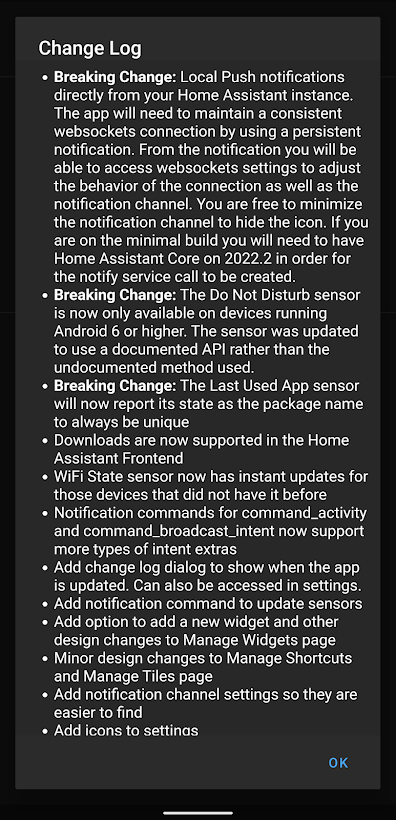
The changelog prompt will be maintained by contributors of the app as we do not think it will be user friendly to show GitHub commit messages. This allows us to highlight the above backward-incompatible changes to all users so they no longer have surprises going forward. Thank you to dshokouhi for adding this feature.
Wear OS Updates
The Wear OS app continues to grow with more features each 发布 and this month we have some welcomed additions!
- Breaking Change: The Wear OS app has a breaking change this 发布 to hide non-primary 实体 from the home screen. The 实体 will still be accessible if you add them as a favorite and also under the "All 实体" screen. This change was done to match the behavior of the autogenerated 仪表盘 of the Home Assistant 前端, thank you jpelgrom.
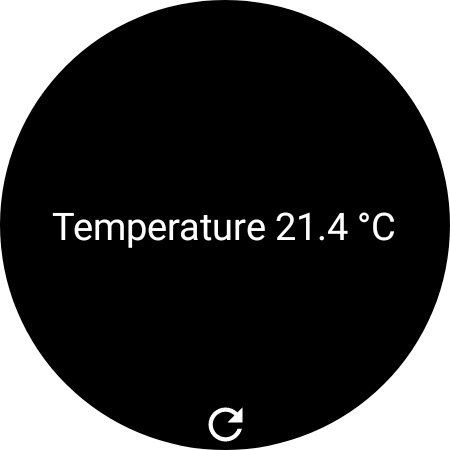
- A new tile was added by leroyboerefijn that allows you to render any template in the tile. You will need to use the phone app to 设置 the template tile as the Wear OS keyboard is missing some important keys that are required for templates. You can also set the refresh interval for the tile in 设置 as well.
- Multi-Factor Authentication is now supported when logging into the watch, thank you jpelgrom
- Areas were added to allow you to view 实体 by the selected area, thank you jpelgrom
- The shortcuts tile got an enhancement to show the 实体 friendly name around the icon. If you do not change your 实体 icons to custom ones you will want to enable this feature. Look in the 设置 screen to enable this feature, thank you leroyboerefijn.
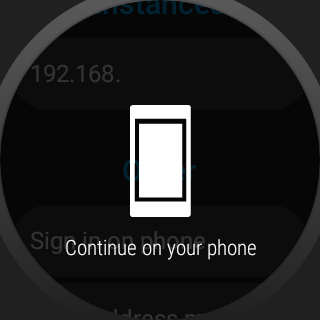
- A new "Sign in on phone" button was added to the Wear OS login screen so you no longer have to enter those long passwords on a small screen. Thank you jpelgrom
button,cover,fanandinput_buttondomains have been added to the Wear OS app by jpelgrom
Other Changes
- A new In Use 传感器 for Quest 设备 was added by SkechyWolf. This new 传感器 turns on only when the headset is worn by the user. It is a bit more precise than using the interactive 传感器, which was previously mentioned for this use case.
- 设备 controls were updated to add support for
buttonandinput_buttondomains. Theclimatedomain was enhanced for supported HVAC modes and proper temperature increments. The More Info pop-up, when a tile is long pressed, is now more reliable. Thanks for these improvements jpelgrom. - dshokouhi and jpelgrom worked together to remove additional Google 服务 dependencies from the minimal 版本
- A new 设置 page was added by dshokouhi to allow users to easily find 通知 Channel 设置 for the app
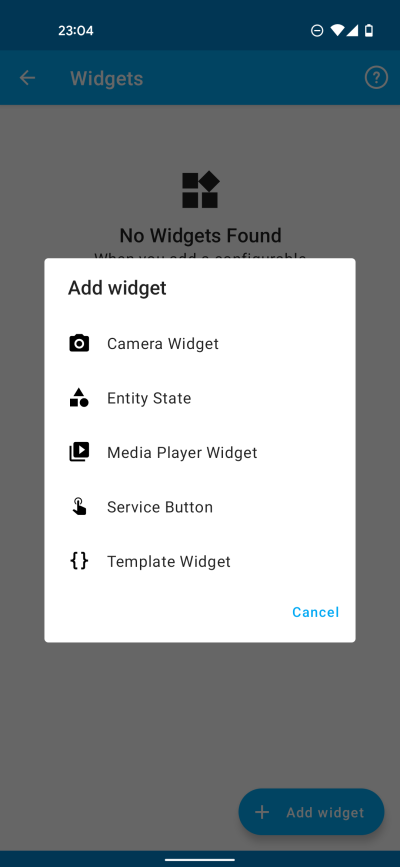
- The Manage Widgets page was updated by dshokouhi and jpelgrom to have a new design based on Jetpack Compose. It is also now possible to add widgets from the 设置 page to your home screen, if the 设备 supports it.
- A 通知 command to 更新 传感器 was added by dshokouhi
- The Manage Shortcuts and Manage Tiles pages had design updates based on Jetpack Compose by dshokouhi
- 通知 commands for
command_activityandcommand_broadcast_intentwere updated for more types of intent extras by moritzgloeckl - The [WiFi 状态 传感器] now receives instant updates on 设备 that did not have instant updates before, thank you dshokouhi
- JBassett has now made it possible to 更新 the Google Play Store listing directly from GitHub
- Downloading is now supported in the Home Assistant 前端, thank you jpelgrom
buttonandinput_buttondomain support was added to quick 设置 by jpelgrom
Special thank you to all other contributors who have helped in bug fixing and other various under the hood improvements to the code base. Thank you NotWoods, joostlek and chriss158. As always please remember to add your feature requests and bugs to GitHub.