

Android 2021.12: Wear OS Beta!
Hey Everyone! It's time for the December 2021 Android 发布. It has been a while since the last Android 发布 as the team has been very busy working on many new and exciting features. To kick things off we would like to announce that there is now a Wear OS app that you can find in the Play Store alongside todays phone app 发布!

Wear OS Beta
For the past couple of months the Android repo has been seeing a lot new contributors coming and bringing in some amazing work. There is now a Wear OS Beta app released in the Play Store! A big thank you to leroyboerefijn, dshokouhi, JBassett, Kisty, apo-mak, SkechyWolf and HunterX86 for all your hard work! A lot of work has been done to share the codebase between the phone and the watch because we wanted the watch to also have a standalone experience in case you are not near your phone. The app will remain as a Beta for several months but we feel in its current 状态 it is ready for you to enjoy. The reason we have decided to keep it with a beta label for now is because there is more work to be done and some of the underlying libraries being used have not received a stable 发布 yet.
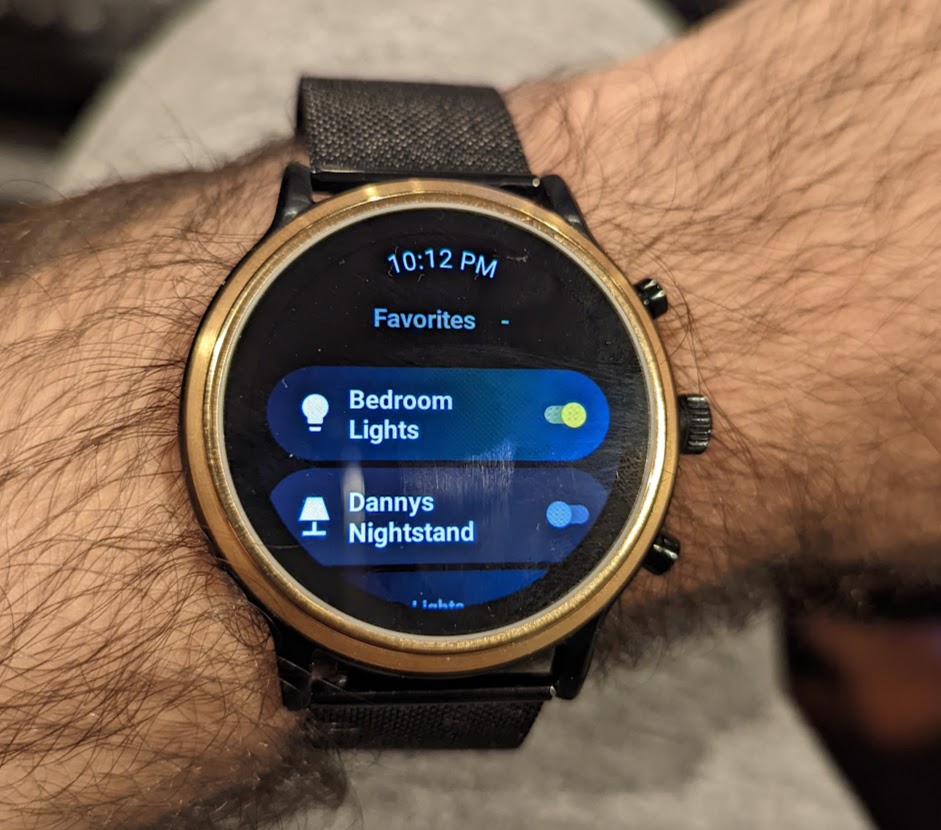
As of today you can login to the app using either the watch or you can open up the phone app and head over to App 配置 and login using the new Wear OS 设置 section! Once you are logged in you will see a brief loading screen while we get your 实体 ready. To avoid some of the loading delays we have a Favorites feature that will allow you to add your most used 实体 to appear at the top of the app for quick and easy access. You can add/remove these 实体 using the 设置 screen in the watch app or you can add/remove and change the order using the phone app. We highly recommend setting up your favorite 实体 as they will be available during the loading process.
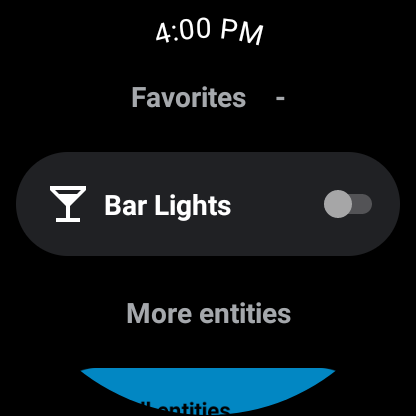 Screenshot of Wear OS Home Screen
The Wear OS app also offers a tile for even faster access to execute or 切换 your 设备 without needing to open the app. You can select up to 7 实体 to 切换 or execute inside the 设置 portion of the app. We recommend using custom MDI icons to easily distinguish between your 实体 as the default will make it hard to tell apart when you have 2 灯光 side by side.
 Screenshot of Wear OS Tile
Initial support for 传感器 has also been added! Upon logging in the default battery 传感器 will be registered in your Home Assistant server. The app will wait for a network connection to provide an 更新 so you won't have to worry about it constantly maintaining a connection. Soon we will be looking into adding a UI to enable/disable 传感器 as well as evaluating all current phone 传感器 and adding whichever ones we can!
One thing to keep in mind is that its important to ensure both the phone and watch are on the same 版本 in order for some of the features to work as expected. Feel free to join the beta and help development by finding bugs and submitting feature requests! Be on the look out for future updates to the Wear OS app!
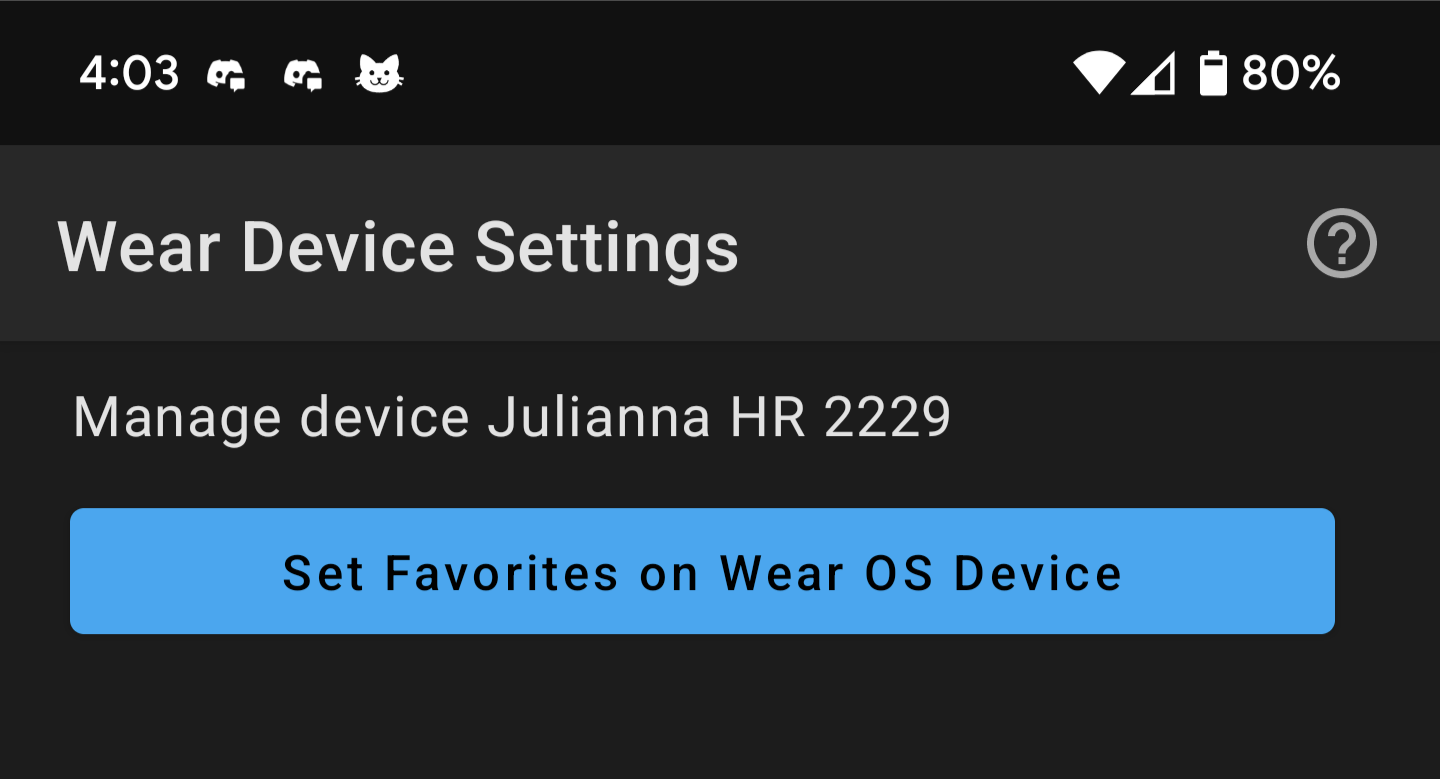 Screenshot of Wear OS 设置 in Phone app
Websockets and Instant Widget Updates
A very big internal feature was also added to both apps this 发布 and that is the introduction of websockets! Websockets is one of the many APIs that Home Assistant offers. With this new API the app can now do cool things like register for 实体 updates to have instant widgets! Previous versions of the app relied on the Home Assistant REST API to do things like get an 实体 状态 or execute a 服务 call. Now with websockets the app will no longer need to poll the server requesting for 实体 updates as needed, instead we now get a constant stream of 实体 updates. This allows us to keep your widgets up to date with the latest 状态 or template and also allows us to keep the Android Power Menu up to date. The Wear OS app also benefits by having instant updates on the home screen.
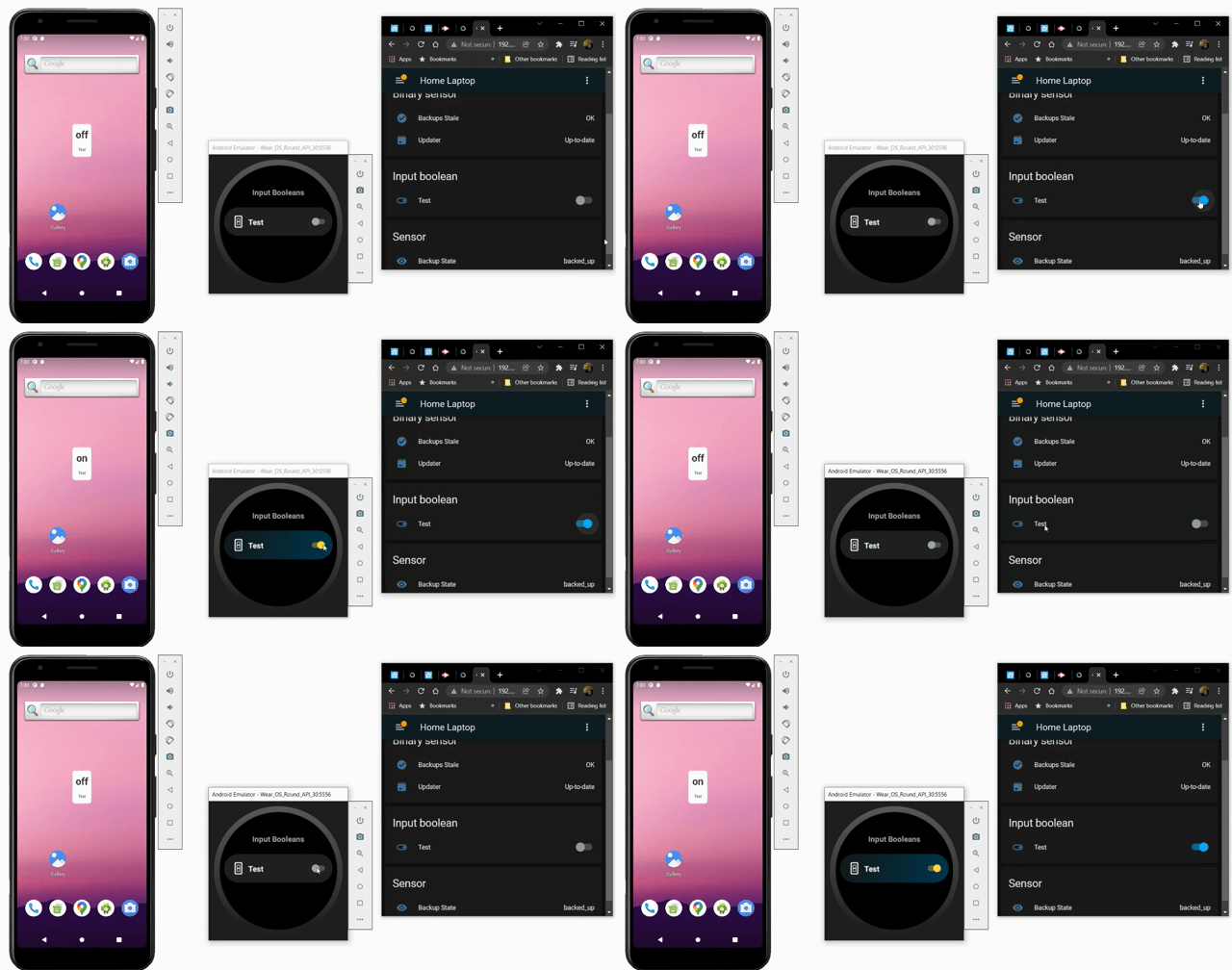 GIF of instant updates
There is still a lot more to be done with respect to websockets but the good news is that foundation is there for more 开发者 to come and consume the API. We have already seen some interest and PRs so I would expect this feature to improve even further over time! Big thank you to JBassett for getting this done!
Theme and UI Updates
In this 发布 we had a lot of changes being done to the overall theme of the app to better fit with the design of the Home Assistant 前端 theme. The status and navigation bar will now match your theme of choice. The overall loading experience has also had some improvements to align more closely to the browser loading experience. Thank you to LasseRosenow for all your hard work here!
With the 发布 of Jetpack Compose we have decided to start migrating all UI elements to Compose. If you are familiar with Android Development then you will remember that the UI is always built with XML and then referenced in your activities/fragments. Now with Compose, XML is no longer needed and bulding robust UI's becomes a breeze. We find these new libraries to be very easy to use and it has allowed us to improve upon our internal architecture to make things easier for new and upcoming features.
In the phone app the entire onboarding experience has been rewritten in Compose, including a brand new welcome screen to help first time users understand what Home Assistant is all about. The 通知 detail page found in 通知 history has also received a compose 更新. The Wear OS home screen is actually built using compose including the new 设置 screens found in the phone app.
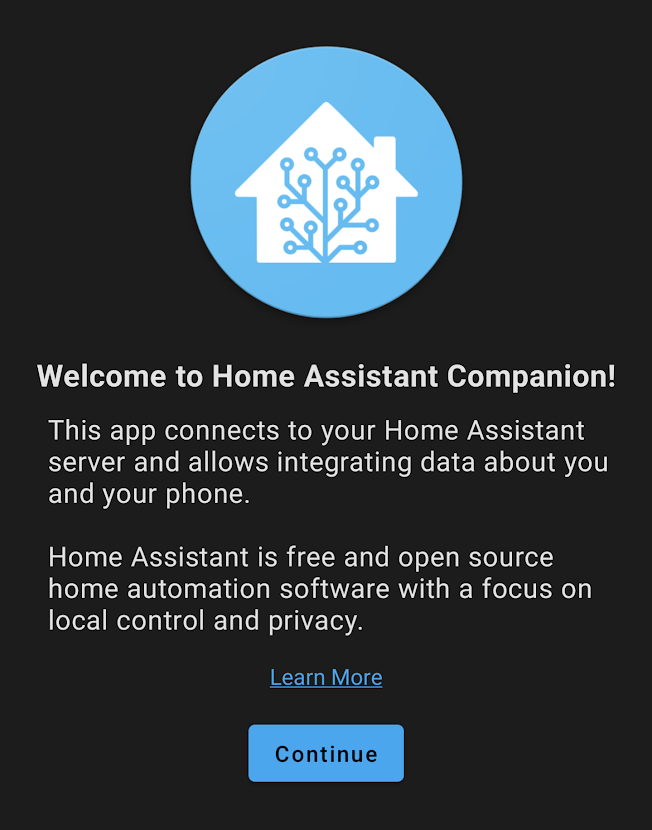 Screenshot of welcome screen
Other Changes
With so many changes since the last 更新 its impossible to list all of the other cool new features but here is a list of some welcomed improvements:
- New 传感器 to report the 状态 of High Accuracy Mode by dshokouhi
- New 通知 parameters to change the Status Bar Icon and also to alert once for any given 通知 by dshokouhi
- New WebView 设置 to keep the screen on and to auto play videos by dshokouhi and skynetua
- New 通知 command to keep the screen on by skynetua
- Updated 通知 commands to accept URL encoding in extras by mvn23
- BLE Transmitter improvements to power output and adverister mode by Alfiegerner and amadeo-alex
- Quick 设置 Tile limit increased from 5 to 12 by dshokouhi
- Support for Android 12 by dshokouhi
- Updated design for Media Player Widget by jannis3005
 Screenshot of Media Player Widget
- Support for cookie based authentication by duncf
- Setting to always try the internal URL first. This is helpful to those who like to leave location off by dshokouhi
- Support for 实体 category and 状态 class in 传感器 by dshokouhi
Big thank you to everyone involved. Please keep those bug reports and feature requests coming! Be sure to watch the 状态 of the Open Home address for what to expect in 2022 and a live demo of some of the features above!
Changelog
- 2021.5.1 - https://github.com/home-assistant/android/releases/tag/2021.5.1
- 2021.6.2 - https://github.com/home-assistant/android/releases/tag/2021.6.2
- 2021.9.0 - https://github.com/home-assistant/android/releases/tag/2021.9.0
- 2021.10.0 - https://github.com/home-assistant/android/releases/tag/2021.10.0
- 2021.12.0 - https://github.com/home-assistant/android/releases/tag/2021.12.0
- 2021.12.1 - https://github.com/home-assistant/android/releases/tag/2021.12.1