

Community Highlights: 27th edition
The 27th edition of the Home Assistant Community Highlights! Some interesting things popped up around our community, which we thought was worth sharing.
But first I have one more announcement. My internship is (almost) over and I'm happy to say that I passed and completed it with a good grade. That also means that this community highlight is the last one from me as an intern, time will tell when the next one will appear.
Do you want to share something for the next edition? Information on how to share.
./Klaas
Intern on Home Assistant Energy
Blueprint of the week
This week's blueprint is that of bfranke1973, who has 创建 a blueprint with which you can receive a 通知 when a 设备 loses connection with the network. Try it out! Read more about it on the community forum or 安装 this 自动化 in your instance with a click on the My button!
Love 门锁 卡片
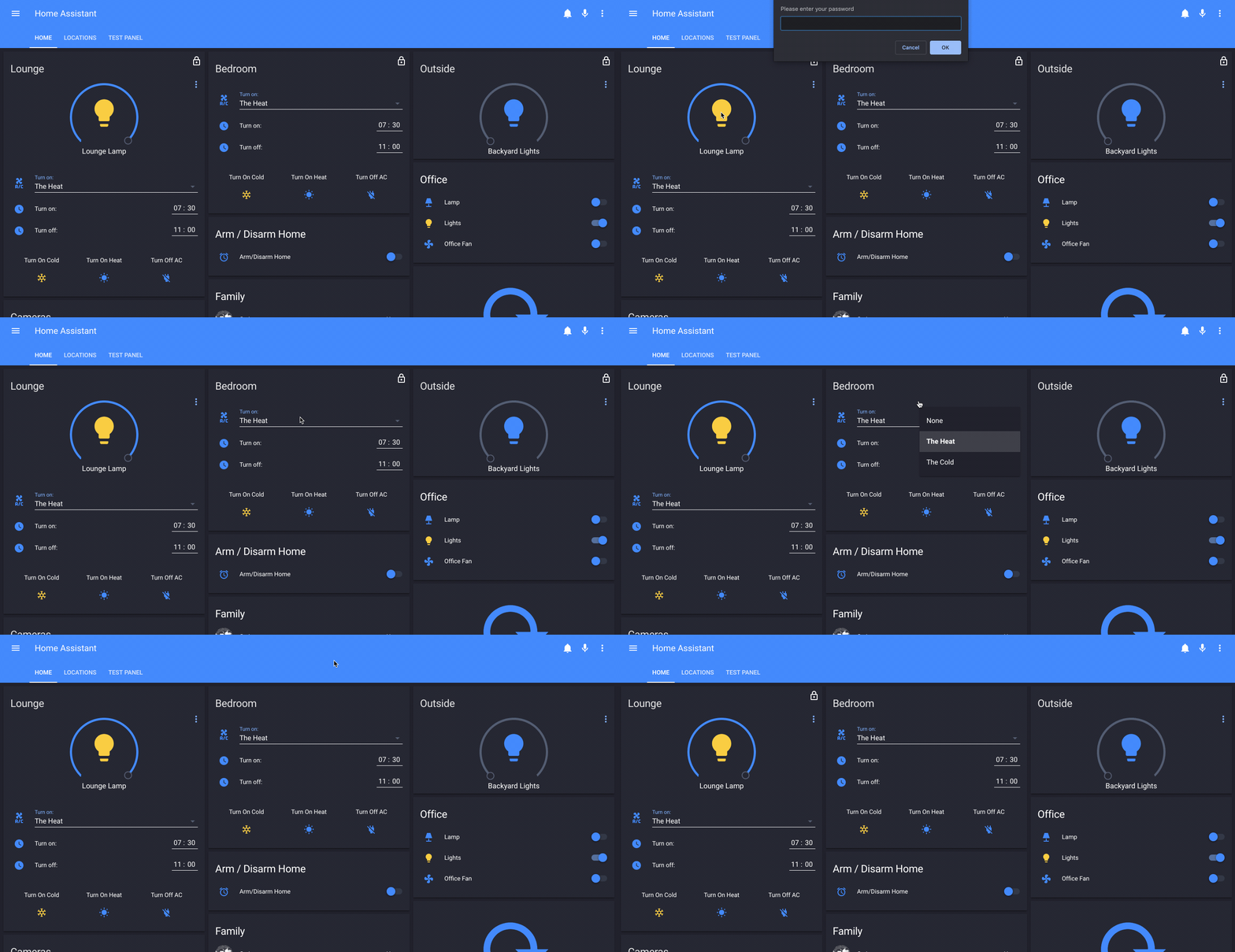
Do you ever accidentally 打开 a 灯光 or 开关? Then try the love 门锁 卡片 made by CyrisXD. With this, you can create a 卡片 that is locked and you can unlock it with, for example, a pin code or a simple click on the 卡片.

Lovelace 仪表盘
This week again we have a new Lovelace 仪表盘 for the necessary portion of inspiration 😄 This time the one from swake88 who is improving his 仪表盘 for use on a mobile 设备. If you want to know more about it, check out the comment part on Reddit.
Would you also like your 仪表盘 to be in the community highlight? Drop it on Reddit and maybe I'll pick it out for the next edition.
Statistic Tools
Home Assistant has a number of tools for working with statistics, but the question is how can you best approach this. Carlos has written a very good guide on how to get started and how to make 卡片 that use this data.
Got a tip for the next edition?
Have you seen (or made) something awesome, interesting, unique, amazing, inspirational, unusual or funny, using Home Assistant?
Click here to send us your Community Highlight suggestion.
Also, don't forget to share your creations with us via Social Media:
- Tweet it! Be sure to mention @home_assistant
- Share it on our Facebook group
- Post it to our subreddit
- Tag @homeassistant on Instagram
- Or via chat, drop us a line in the #lounge at Discord
See you next edition!