

Community Highlights: 16th edition
What did you think of the 发布 last Wednesday? A lot of cool things have been added! But there were also a lot of great projects shared this week from the community and we have selected the best for you. So here's the 16th edition of the Home Assistant Community Highlights!
Do you want to share something for the next edition? Information on how to share.
./Klaas
Blueprint of the week
You're leaving home and oh dear! It turns out that one of your 灯光 is on 💡 What if you then receive a 通知 with an option to 开关 off the 灯光, without having to open the Home Assistant app first?
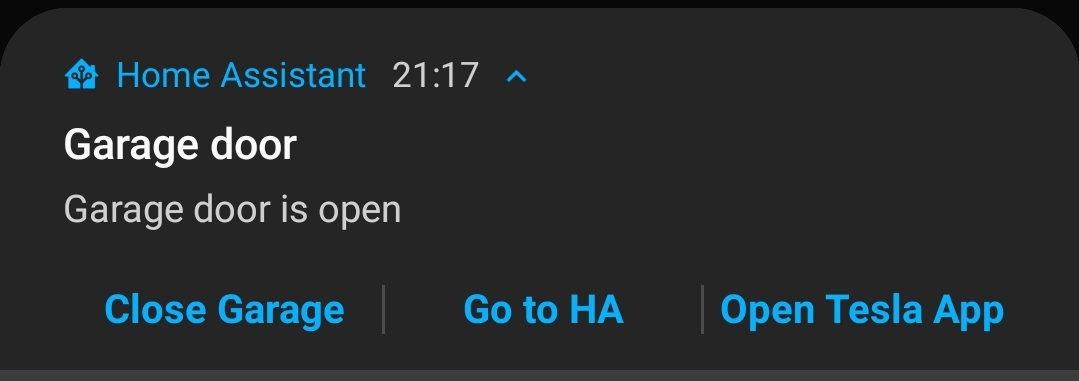
With the blueprint from vorion you can easily get started to create your own actionable 通知, give it a try. Read more about it on the community forum or 安装 this 自动化 in your instance with a click on the my button!
Google Home
Long ago it was possible to read the 报警 and timers from your Google Home in Home Assistant, due to a change in the API this was unfortunately no longer possible.
But thanks to a new custom 集成 from leikoilja, it’s now possible to integrate 报警 or timers that you have set up on a Google Home 设备. For example, you could 开关 the 灯光 automatically in the morning based on an 报警 clock that you have set.
Tempometer Gauge 卡片
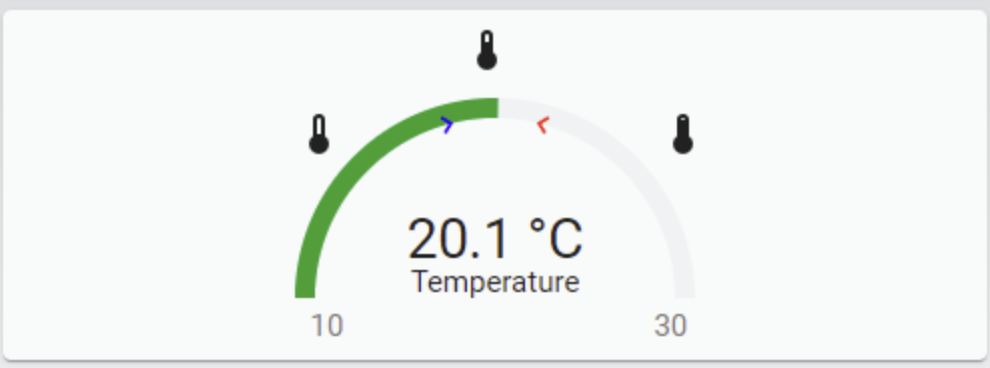
Are you looking for a 卡片 to spice up your existing gauge 卡片? Then try the tempometer gauge 卡片 made by SNoof85.
Lovelace 仪表盘
This week also a Lovelace 仪表盘 and this time that of agneevX, the nice thing about this 仪表盘 is that it's designed from a mobile first principle. Which means that you make a design / 仪表盘 for the smallest screen (mobile) and then work out step by step how it will look on a larger screen (desktop).

You can find all his code in this repository on Github.
Got a tip for the next edition?
Have you seen (or made) something awesome, interesting, unique, amazing, inspirational, unusual or funny, using Home Assistant?
Click here to send us your Community Highlight suggestion.
Also, don't forget to share your creations with us via Social Media:
- Tweet it! Be sure to mention @home_assistant
- Share it on our Facebook group
- Post it to our subreddit
- Tag @homeassistant on Instagram
- Or via chat, drop us a line in the #lounge at Discord
See you next edition!