

Home Assistant Companion Android App April 2021 Release
Hey Everyone! It's time for the April 2021 Android 发布. Last month we wrote that we would be aligning our releases closer to Home Assistant 核心 so here we are! Another month went by and the Android app has started to see more contributors coming along. Hopefully, you will join us next month as we can always use more contributors to move forward faster.
In-App 日志 Viewer
This 发布 has a new feature that will make viewing and sharing the 日志 MUCH easier. Some of you may recall the large number of steps needed to get Android 日志 when you open issues. This usually involved installing Android Studio or another app and having to plug your devices into a computer to grant some special ADB permissions. This was very difficult to get set up for the average user and just wasn't user-friendly.
We've added a new option to the App 配置 called "Show and Share 日志". It will show all the 日志 from our app, including 调试 日志 to help troubleshoot issues such as when the location does not 更新 or if the app is using the correct URL. You are not only able to view this 日志 but also share and select from it so you can copy the 日志 to a GitHub issue for our team to look into.
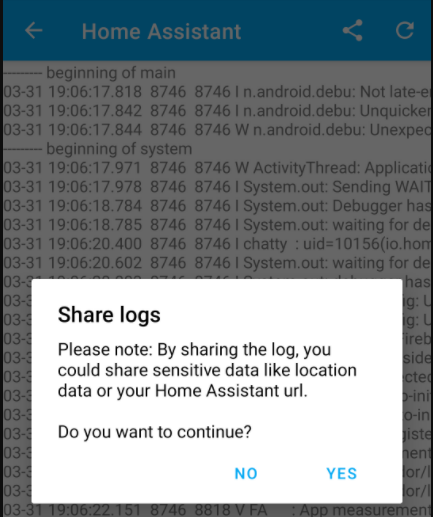 Screenshot of In-App 日志 Viewer
设置 Improvements
We have had several improvements made to the overall design of the App 配置 pages to make better use of the space and add some neat features. First and foremost, every setting screen now has a new help icon taking you to the proper place in the 文档 like location 设置 or even 通知. Just look for the new help icon at the top right-hand corner, if the page does not offer enough information.
As of this 发布 the app now has a total of 71 传感器, given your 设备 supports them all your number may be less. That is a lot of 传感器 and we don't expect a lot of users to actually use them all. We have added 2 new features to make this page easier to navigate. You can now filter by showing only the enabled 传感器 to get rid of the 传感器 you don't want to use, if you have all 传感器 enabled don't expect to see this filter. You can also perform a search against the list of 传感器 to find one quickly and manage it.
通知 History now lets you search by the message that was sent to the 设备. Searching will bypass the filter options we have, which limits the view to the last 100 通知. Filtering and delete options have been moved to the top right-hand corner to make better use of the space.
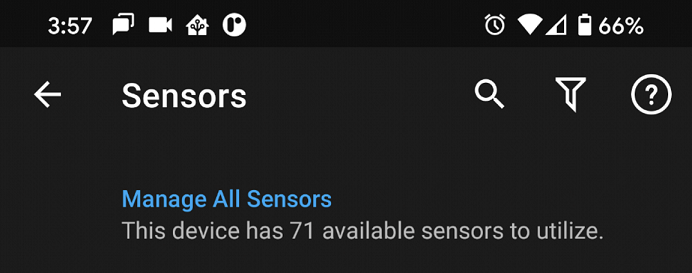 Screenshot of 传感器 Search & Filter.
Shortcuts
Sometimes when you open the app you may already know exactly where you want to go. You may find yourself on the same view often to see your 摄像头 or give the nursery a quick look to make sure things are ok. You may even want to quickly see the history of an 实体 like when the door was last opened. In this 发布, we have introduced Android Shortcuts which will let you get to anywhere in the Home Assistant 前端 quickly, directly from your home screen. Shortcuts will look like a separate app on the home screen allowing you to make them easily accessible and even place them into a folder for better organization. You can navigate to any Lovelace view or 仪表盘 including other pages like the Shopping List. You can also navigate to any 实体 directly to get more information like the history or see the graph.
There are a few different shortcut types and in the nature of Home Assistant, we have opted not to add static shortcuts because they are static! We support dynamic shortcuts which will show up under the app long-press menu. Once you create a shortcut, you will be able to drag it onto your home screen. There is also support for pinned shortcuts that can be added automatically to your home screen without needing to drag the icon, given your 设备 and launcher support pinned shortcuts. Check out the 文档 for more details including known limitations.
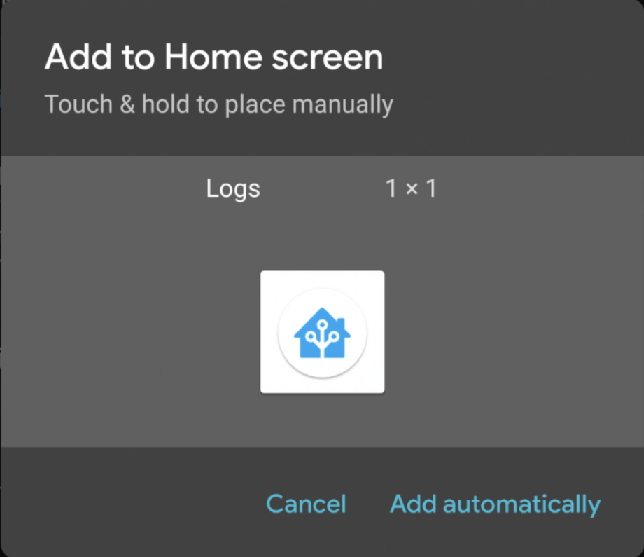 Screenshot of Shortcuts
Other Changes
Here is a list of the other changes you may notice:
- Battery Temperature sensor
- 通知 command to 打开 the screen
- BLE Transmitter has a new setting to enable/disable the transmitter so the sensor can remain enabled. This new setting will correspond to the existing 通知 command.
- High Accuracy mode has a new zone-based 自动化 feature allowing you to 触发器 this mode faster. See the 文档 for more details.
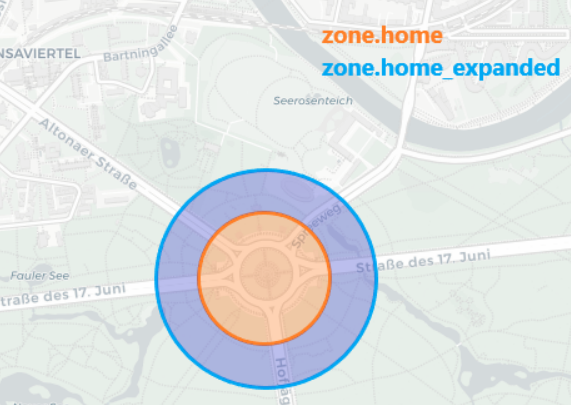 Screenshot of High Accuracy Zoning.
- Long-pressing an 实体 in Android's Power Menu will now take you directly to the 实体 instead of the home page.
- 遮盖 that support setting the position are also supported in Android's Power Menu.
- Lots of fixes and improvements in all other areas of the app.
Big thank you to everyone involved. Please keep those bug reports and feature requests coming!