

Home Assistant Companion Android App 2021 Q1 Releases
Hey everyone! It has been quite some time since we last provided an 更新 on all that is new with the Android app. You may have already noticed that we had changed our 发布 versioning to match that of Home Assistant 核心. In fact, we will be attempting to align our releases more closely to 核心 releases. This way we can start supporting brand new features quickly, like the recently released My Home Assistant.
Security Check
As of Home Assistant 核心 2021.1.5 some security vulnerabilities were fixed and it is very critical that all users 更新 their instances to at least this 版本. The app will now do a check every 24 hours to ensure that the instance is at least on the 发布 mentioned in the security alert. This check will be updated anytime a new security alert is issued.
Location Disabled Check
Certain app features that depend on the connected WiFi network (SSID), require the location permission to not only be granted to the app, but also have it enabled on the 设备. Without this, the app is unable to read the connected SSID, impacting usage of the Internal URL and any WiFi based 传感器. Previously, the application would continue to function and silently fail while showing bad data for the 传感器. Although the application still worked, certain parts were found to be buggy as a result of the silent failure.
Starting in android-2021.1, the app was showing a prompt before a user was able to interact with the Home Assistant 前端. We received feedback that users found this pop-up to be too intrusive. Starting android-2021.2, this pop-up has been converted to a persistent Android 通知 with its own 通知 channel. This allows the user to fully control how it is displayed on the 设备, including turning the channel off. The new channel name for this 通知 is Location disabled.
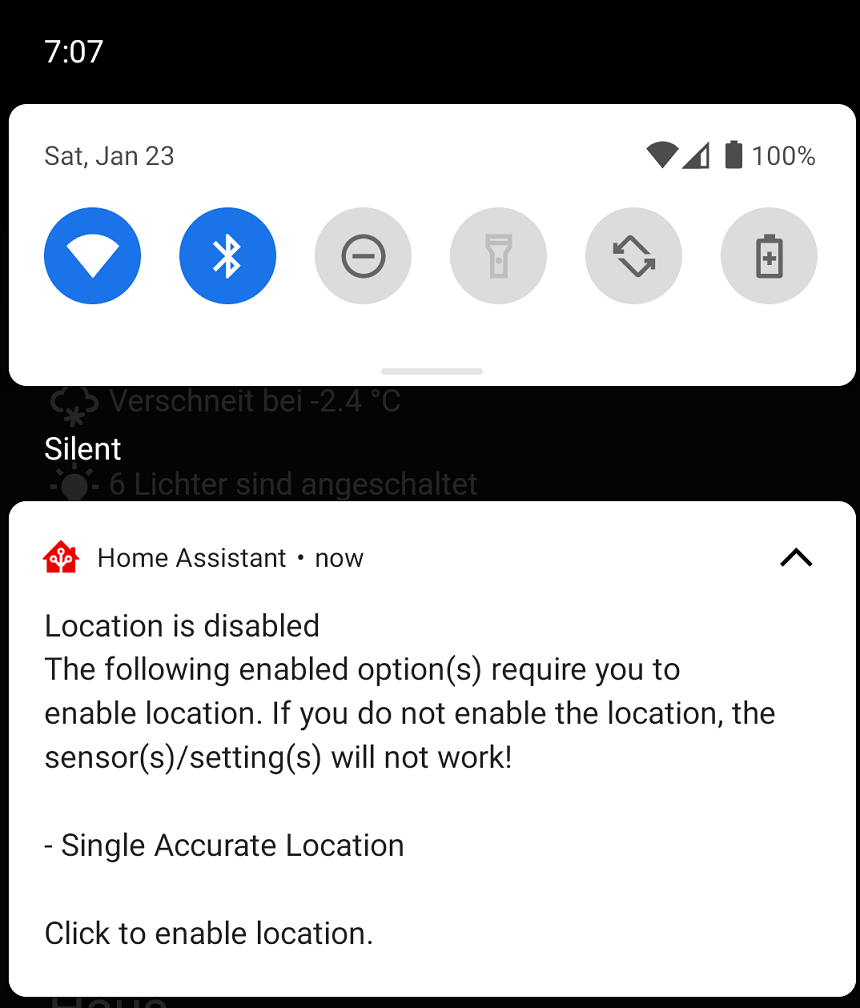 Screenshot of the location disabled 通知.
High Accuracy Mode
High accuracy mode is a new feature in android-2021.2 to allow users to get much faster location updates at the cost of additional battery drain. Background location updates typically get reported every 30 seconds to a few minutes. This new feature allows the user to specify the 更新 interval that defaults to every 5 seconds. When enabled, a persistent 通知 will be displayed containing some location data. This feature is an enhancement to the Background Location 传感器 and you can access it from the 传感器 设置 screen. You can also control this feature via a new 通知 command to enable/disable it on the fly. You can learn more about this feature in the 文档.
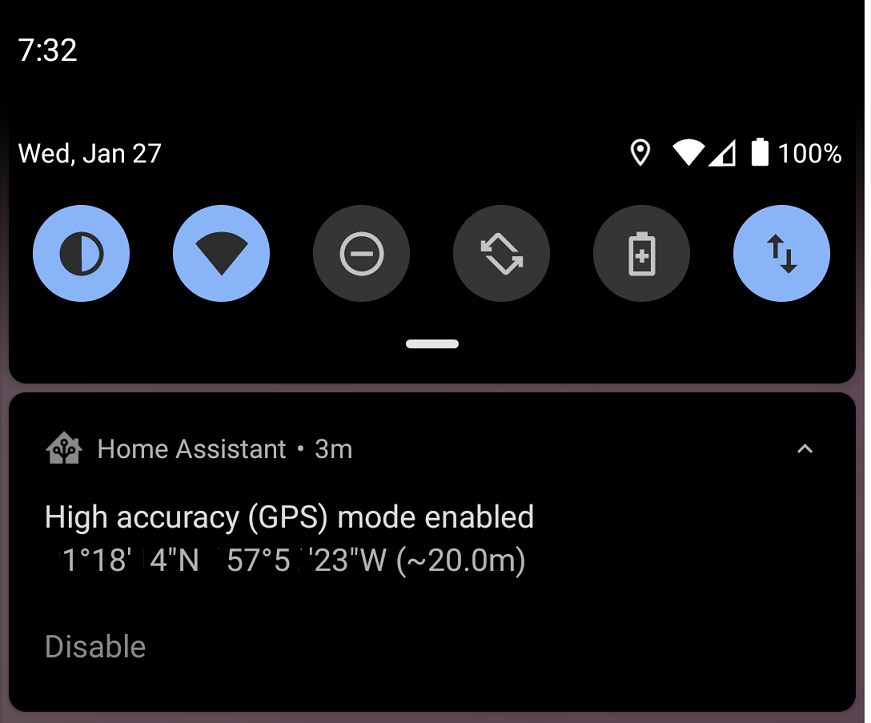 Screenshot of the high accuracy mode 通知.
New 传感器
We have several new 传感器 to welcome to the app, all of which are disabled by default:
-
Active 通知 - The total count of active 通知 visible to the user. 属性 will include all 通知 data.
-
App Data sensor - sensor to determine how much data the app has used since the last 设备 reboot.
-
App Importance sensor - A sensor to determine if the app is in the
foreground,backgroundor any other importance level. -
App Memory sensor - A sensor to determine how much memory is used by the app.
-
App Usage sensor - sensor to help users troubleshoot if the app is considered inactive and the current app standby bucket.
-
BLE Transmitter sensor - A sensor to control whether or not the app is actively sending out a beacon to provide support for 服务 like Room Assistant.
-
Sleep sensor - sensor based on a new API provided by Google for 设备 running the full 版本. These 传感器 can be used to determine if the user is sleeping or not. The 传感器 更新 when we get data from Google so don't expect them to 更新 as soon as you fall asleep.
通知 Enhancements
There have been several additions and improvements to 通知:
- Controlling 蓝牙
- Broadcast intent command has been updated to allow the user to send intent extras
- A command to launch activities, see below for more details
- A new command to launch the application to any 仪表盘 or view without needing to click on anything
- A new actionable 通知 type
REPLYwhich will add a reply button to the 通知 and the response will be sent back in themobile_app_notification_actionevent - A command to control whether or not the BLE transmitter 传感器 is enabled
Intents and Activities
We have made several enhancements to further integrate Home Assistant into the Android ecosystem. First and foremost, the Last 更新 触发器 sensor was updated in 2021.2 to allow users to register for any intent that they want. Intents are a way for applications to communicate with another so they can send data back and forth. In fact the app itself uses many intents provided by Android, which is why certain 传感器 更新 faster than others. This means that users can now get data from apps that have an Intent API. You will need to know the intent 动作 string that you wish to register for. Once the intent is received the application will fire an event to Home Assistant as android.intent_received along with the intent 动作 and any extra data provided by the intent. Personally, I am using my Mi Band 5 with the Notify for Mi Band application that sends out intents for when I have fallen asleep, my step count or even my heart rate.
A new 通知 command was added to allow the user to launch an activity on their android 设备. This command requires a new permission to be granted in order to launch activities from the background, Draw Over Other Apps. The first attempt to use this 通知 will take the user to the permission page so the user can grant proper access. It is important to note that if the app is not considered active then this permission page will not show up due to missing permissions. Try to test this with the app open or you can grant the permission manually in your 设备 设置. There are lots of use cases for this feature such as being able to launch Google Maps driving mode or even setting an 报警 on your 设备.
Unfortunately, it is not so straightforward to determine which intents and activities are supported by applications. You really need to know what to look for and there is not much in terms of 文档 here from applications. Try reaching out to the 开发者 of your favorite apps to see if they have any intents to consume. We have provided several live examples in the companion 文档. I have also started a new Thread in the forums to maintain a list of all that we can find here. I will be trying to keep the first post as up to date as possible.
Other Enhancements
We have also spent time making improvements to all other areas too:
- Support for links from My Home Assistant
- Power menu fixes and enhancements including support for 吸尘器 实体
- Haptic feedback support in the 前端
- Overriding certain URL types to launch an application or an intent from the 前端
- 3 finger swipe down gesture to 触发器 the Quick Bar
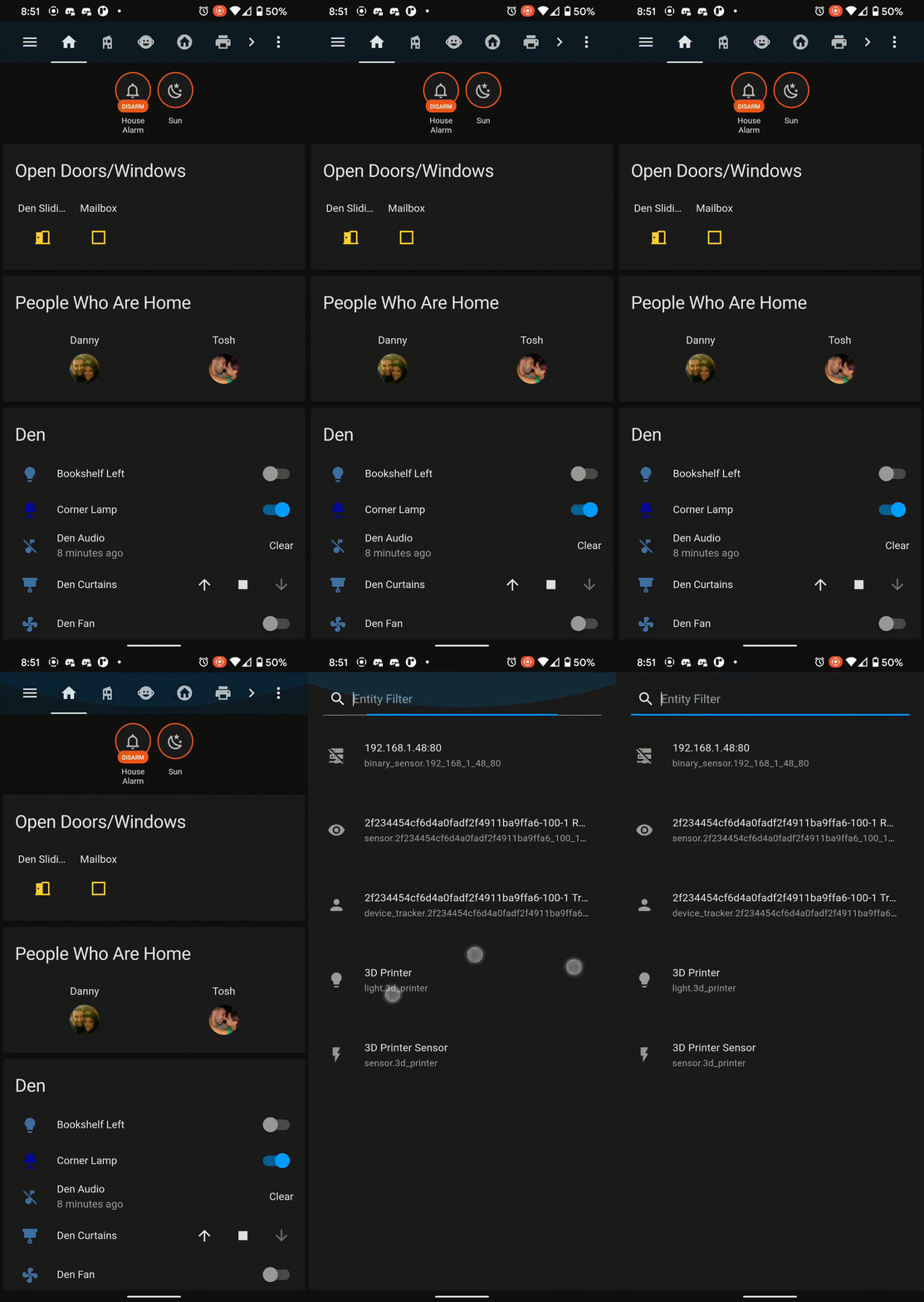 3 finger swipe gesture to 触发器 Quick Bar
Big thank you to everyone involved. Please keep those bug reports and feature requests coming!
Changelogs
- 2021.1.1 - https://github.com/home-assistant/android/releases/tag/2021.1.1
- 2021.1.2 - https://github.com/home-assistant/android/releases/tag/2021.1.2
- 2021.2.1 - https://github.com/home-assistant/android/releases/tag/2021.2.1
- 2021.2.2 - https://github.com/home-assistant/android/releases/tag/2021.2.2
- 2021.3.1 - https://github.com/home-assistant/android/releases/tag/2021.3.1