

0.52: 脚本 editor, Nello.io 门锁, HipChat and Abode Home Security
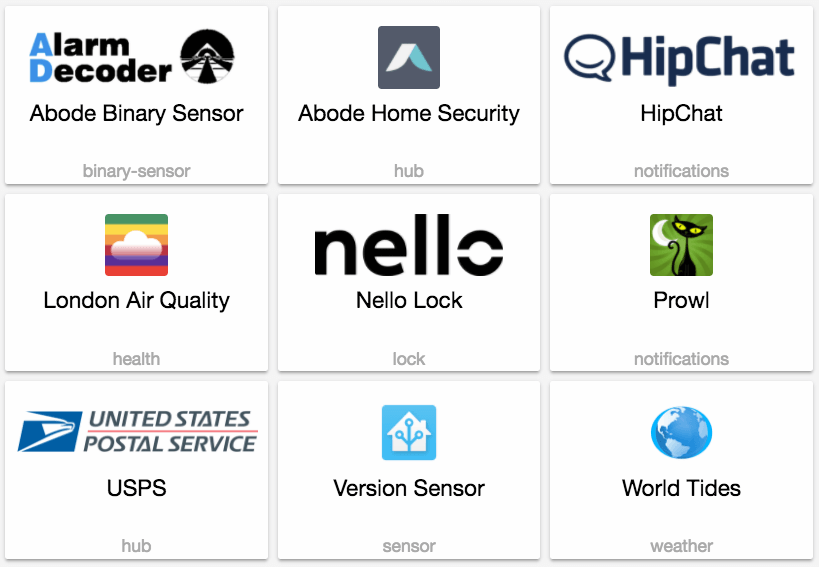
Although the summer is in full progress, the development hasn't stalled. This 发布 brings bug fixes, clean ups and another 8 new 集成. On top of that we are also introducing a new 脚本 editor!
To use the 脚本 editor, create a new file in your config directory named scripts.yaml and copy your existing 脚本 over:
Than 更新 your configuration.yaml to look like this:
New Platforms
- Add 版本 传感器 (@fabaff - #8912) (传感器.版本 docs) (new-platform)
- Nello.io 门锁 support (@pschmitt - #8957) (门锁.nello docs) (new-platform)
- Add HipChat 通知 服务. (@BioSehnsucht - #8918) (new-platform)
- Refactor USPS into component with 传感器+摄像头 (@mezz64 - #8679) (breaking change) (new-platform)
- Adds London_air component (@robmarkcole - #9020) (传感器.london_air docs) (new-platform)
- Add Abode home security component (@arsaboo - #9030) (abode docs) (alarm_control_panel.abode docs) (binary_sensor.abode docs) (new-platform)
- Add support for Prowl 通知. (@mbrrg - #9028) (通知.prowl docs) (new-platform)
- Add worldtidesinfo 传感器 component (@aetolus - #8860) (传感器.worldtidesinfo docs) (new-platform)
发布 0.52.1 - August 28
- Close stream request once we end up with proxy (@foxel - #9110)
- Fix issue #9116 in pushbullet (@danielhiversen - #9128) (通知.pushbullet docs)
- bug fix pushbullet (@danielhiversen - #9139) (通知.pushbullet docs)
- Fix import for foscam (@sdague - #9140) (摄像头.foscam docs)
- Bump aioautomatic to prevent leaking exceptions (@armills - #9148)
- Wrap 状态 when iterating a domain in 模板 (@balloob - #9157)
- Prevent iCloud exceptions in logfile (@mjj4791 - #9179) (device_tracker.icloud docs)
- bump ecobee 版本 to fix issue 9190 (@nkgilley - #9191) (ecobee docs) (温控.ecobee docs)
If you need help...
...don't hesitate to use our very active forums or join us for a little chat. The 发布 notes have comments enabled but it's preferred if you use the former communication channels. Thanks.
Reporting Issues
Experiencing issues introduced by this 发布? Please report them in our issue tracker. Make sure to fill in all fields of the issue 模板.
Backward-incompatible changes
- Remove spaces from Xiami 开关 属性 (@syssi - #8952) (开关.xiaomi docs) (breaking change)
- MQTT 开关: command and availability payload are now no longer linked. Command and availability payload default to ON/OFF and must be configured individually if custom values are required. (@timstanley1985 - #8934) (开关.MQTT docs) (breaking change)
- eliqonline: The optional channel_id 配置 variable of the Eliqonline 传感器 needs to be a positive integer. (@molobrakos - #9072) (传感器.eliqonline docs) (breaking change)
- MySensors: Not a breaking change per se but 用户 that have not been following the mysensors serial API could face dropped messages after this change. Messages are now validated according to the API before being passed along from/to 设备. See 0.11 发布 notes for more info. (@MartinHjelmare - #9069) (mysensors docs) (binary_sensor.mysensors docs) (温控.mysensors docs) (遮盖.mysensors docs) (device_tracker.mysensors docs) (灯光.mysensors docs) (通知.mysensors docs) (传感器.mysensors docs) (开关.mysensors docs) (breaking change)
- Automatic has disabled 密码 认证 on their API. Home Assistant will now use OAuth2 to authenticate accounts. The following steps must be taken to transition your 设置:
- 日志 in to your Automatic developer account. In the Automatic Developer Apps Manager, specify the OAuth Redirect URL in the developer page. This should be configured to
<home-assistant-url>/api/automatic/callback. (Example:http://homeassistant.local:8123/api/automatic/callback) Note that this URL only needs to be accessible from the browser you use to perform the 认证. - Remove username/密码 from your automatic 设备 tracker 配置 in 配置.yaml.
- If you have authorized your account for
scope:current_location, addcurrent_location: trueto your automatic 设备 tracker 配置 in 配置.yaml. - When you 重启 Home Assistant, click on the Automatic 配置 link in the Configurator 卡片, and follow the instructions to 授权 Home Assistant.
NOTE: Automatic's API is currently not correctly authorizing with refresh tokens, so Step 4 currently needs to be performed after every 重启. (@armills - #8962 #9002) (configurator docs) (breaking change)
- 日志 in to your Automatic developer account. In the Automatic Developer Apps Manager, specify the OAuth Redirect URL in the developer page. This should be configured to
All changes
- Add 版本 传感器 (@fabaff - #8912) (传感器.版本 docs) (new-platform)
- Fix hue 灯光 for Philips and non-philips 灯光 (@groth-its - #8905) (灯光.hue docs)
- Fixed cert_expiry 传感器 to delay firing on HA startup (@arsaboo - #8920) (传感器.cert_expiry docs)
- Remove spaces from Xiami 开关 属性 (@syssi - #8952) (开关.xiaomi docs) (breaking change)
- Add 服务 to 报警 control 面板 for night mode arming (@schmittx - #8614) (alarm_control_panel docs) (alarm_control_panel.totalconnect docs)
- Add support for Automatic OAuth2 认证 (@armills - #8962) (configurator docs) (breaking change)
- Nello.io 门锁 support (@pschmitt - #8957) (门锁.nello docs) (new-platform)
- Added continue-on-错误, added value 模板 (@iamjackg - #8971) (传感器.snmp docs)
- Is_allowed_path raise for None path (@danielhiversen - #8953)
- Fix #8960 - Decora Wi-Fi 开关 unable to set brightness (@tlyakhov - #8989) (灯光.decora_wifi docs)
- Adds port/SSL config options for RainMachine (@bachya - #8986) (开关.rainmachine docs)
- Automatic 设备 tracker remove 密码 (@armills - #9002) (breaking change)
- Add 脚本 editor 后端 (@balloob - #8993) (config docs) (脚本 docs) (new-platform)
- MQTT 开关 - Add configurable availability payload (@timstanley1985 - #8934) (开关.MQTT docs) (breaking change)
- Buienradar newconditions (@mjj4791 - #8897) (传感器.buienradar docs) (天气.buienradar docs)
- Pushbullet, fix multiple messages sent when url param is set (@karlkar - #9006) (通知.pushbullet docs)
- 更新 to pyenvisalink 2.2, and remove range validation on zonedump i… (@Cinntax - #8981) (envisalink docs)
- Fix #9010 - Swiss Public Transportation shows departure time in the past (@hertg - #9011) (传感器.swiss_public_transport docs)
- Add HipChat 通知 服务. (@BioSehnsucht - #8918) (new-platform)
- 更新 onkyo-eiscp to 1.2.3 (@danieljkemp - #9019) (媒体播放器.onkyo docs)
- Check if album 图像(s) exist in spotify (@Tommatheussen - #9024) (媒体播放器.spotify docs)
- 更新 ffmpeg to 1.7 to fix severals problems (@pvizeli - #9029)
- Add state_with_unit property to 状态 objects in 模板 (@balloob - #9014)
- Fix Geizhals index issue when not 4 prices available (@celeroll - #9035) (传感器.geizhals docs)
- Refactor USPS into component with 传感器+摄像头 (@mezz64 - #8679) (breaking change) (new-platform)
- Set 密码 after connecting. Fixes #8983 (@StevenLooman - #9039) (媒体播放器.mpd docs)
- 更新 iOS 传感器 (battery icon fix and format updates) (@schmittx - #9032)
- Adds London_air component (@robmarkcole - #9020) (传感器.london_air docs) (new-platform)
- 更新 pwmled to 1.2.1. (@soldag - #9040) (灯光.rpi_gpio_pwm docs)
- Configurable timeout for webostv. (@soldag - #9042) (媒体播放器.webostv docs)
- 更新 ios.py (@schmittx - #9041) (传感器.ios docs)
- Support Windows in UPNP discovery (@kabongsteve - #8936)
- 升级 python-pushover to 0.3 (@fanaticDavid - #9045) (通知.pushover docs)
- Add speeds to 风扇 dropdown in ISY 风扇 component (@boojew - #9004) (风扇.isy994 docs)
- 更新 Fitbit 传感器 (icons, formatting, client 更新) (@schmittx - #9031) (传感器.fitbit docs)
- Add Abode home security component (@arsaboo - #9030) (abode docs) (alarm_control_panel.abode docs) (binary_sensor.abode docs) (new-platform)
- LIFX: avoid rare NoneType 错误 (@amelchio - #9054) (灯光.lifx docs)
- Bump dlib face_recognition to 0.2.2 (@arsaboo - #9060) (image_processing.dlib_face_detect docs) (image_processing.dlib_face_identify docs)
- 更新 fitbit.py (@schmittx - #9064) (传感器.fitbit docs)
- 升级 sendgrid to 5.0.0 (@fabaff - #9062) (通知.sendgrid docs)
- 升级 slacker to 0.9.60 (@fabaff - #9065) (通知.slack docs)
- Add support for Prowl 通知. (@mbrrg - #9028) (通知.prowl docs) (new-platform)
- 升级 onkyo-eiscp to 1.2.4 (fixes #8995) (@fabaff - #9068) (媒体播放器.onkyo docs)
- Workday 传感器 offset (@LaStrada - #8824) (binary_sensor.workday docs)
- eliqonline: channel id is an integer (@molobrakos - #9072) (传感器.eliqonline docs) (breaking change)
- Use builtin constants for Abode alarm_control_panel (@arsaboo - #9059) (alarm_control_panel.abode docs)
- bump python-ecobee-api 版本 to 0.0.8 (@nkgilley - #9074) (ecobee docs)
- Bump abodepy to 0.7.1 (@arsaboo - #9077) (abode docs)
- async_query returns False if connection to server failed, handle this properly (@molobrakos - #9070) (媒体播放器.squeezebox docs)
- Added insteonplm device_override multiple capabilities (@teharris1 - #9078) (insteon_plm docs)
- 升级 uber_rides to 0.5.1 (@fabaff - #9080) (传感器.uber docs)
- 升级 discord.py to 0.16.10 (@fabaff - #9082) (通知.discord docs)
- Fix
device属性 in fritz_callmonitor.py (fixes #9055) (@max-te - #9081) (传感器.fritzbox_callmonitor docs) - 升级 youtube_dl to 2017.8.18 (@fabaff - #9079) (media_extractor docs)
- Remove dash (@fabaff - #9089)
- 升级 credstash to 1.13.3 (@fabaff - #9088)
- 9043 Fixed 错误 while running dev Docker (@MungoRae - #9044)
- Don't redefine consts (@fabaff - #9086)
- Fix octoprint 错误 when printer is off/disconnected (@w1ll1am23 - #8988) (octoprint docs) (传感器.octoprint docs)
- Pilight 开关: 恢复 last 状态 after 重启 (@janLo - #8580) (开关.pilight docs)
- Fix netdata system_load and add disk_free. (@michaelarnauts - #9091) (传感器.netdata docs)
- Add worldtidesinfo 传感器 component (@aetolus - #8860) (传感器.worldtidesinfo docs) (new-platform)
- Support changing the bulb color for tplink smartbulbs, fixes #8766 (@rytilahti - #8780) (灯光.tplink docs)
- bump snapcast 版本 (@happyleavesaoc - #9100) (媒体播放器.snapcast docs)
- bump fedex 版本 (@happyleavesaoc - #9099)
- Yeelight fix updates on hsv mode (@rytilahti - #9093) (灯光.yeelight docs)
- Catch exceptions (@fabaff - #9085) (通知.discord docs)
- Fix issue 8894 with uk_transport component if no next_buses or next_trains (@robmarkcole - #9046) (传感器.uk_transport docs)
- 升级 Xiaomi Gateway lib to 0.3 (@danielhiversen - #9101) (xiaomi docs)
- pythonegardia package requirement to .18 (@jeroenterheerdt - #9104) (alarm_control_panel.egardia docs)
- Simplisafe unknown status fix (@lekobob - #9111) (alarm_control_panel.simplisafe docs)
- 更新 flux_led.py (@danielhiversen - #9122) (灯光.flux_led docs)
- Xiaomi (@danielhiversen - #9126) (xiaomi docs)
- refactor pushbullet (@danielhiversen - #9125) (通知.pushbullet docs)
- optimistic mode for 模板 遮盖 (w/o timed movement) (@PhracturedBlue - #8402) (遮盖.模板 docs)
- Use const (@fabaff - #9127) (prometheus docs)
- Refactor mysensors callback and add validation (@MartinHjelmare - #9069) (mysensors docs) (binary_sensor.mysensors docs) (温控.mysensors docs) (遮盖.mysensors docs) (device_tracker.mysensors docs) (灯光.mysensors docs) (通知.mysensors docs) (传感器.mysensors docs) (开关.mysensors docs) (breaking change)