

x86 物理机直装步骤
所需软件
- U 盘烧录工具:Balena Etcher
- 从本站下载
Home Assistant OS 极速版安装专用系统镜像文件
操作步骤
推荐使用 Balena Etcher 烧录镜像
Balena Etcher
- 将 U 盘接入电脑(Windows/MacOS/Linux)
- 运行 Balena Etcher
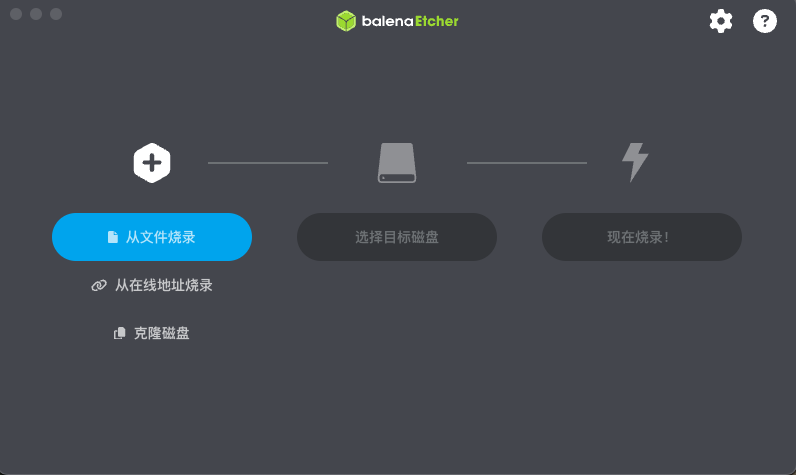
- "从文件烧录" -> 选择下载到本地的
Home Assistant OS 极速版安装专用系统镜像文件
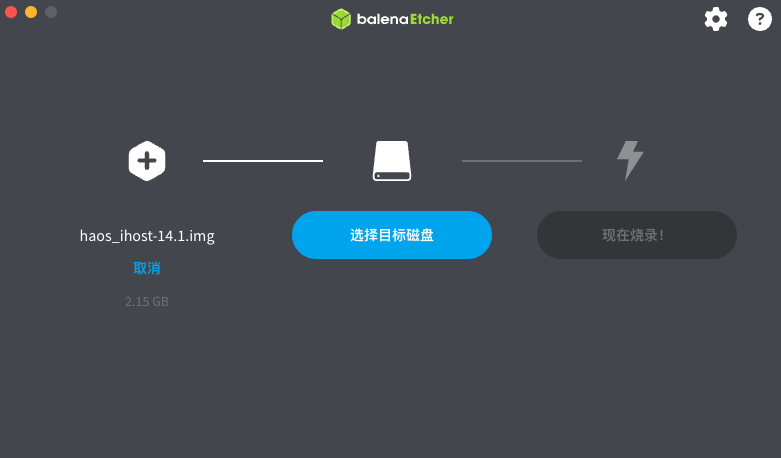
- "选择目标磁盘" -> 选择您所插入的 U 盘 [!!!请注意不要选错磁盘!!!]
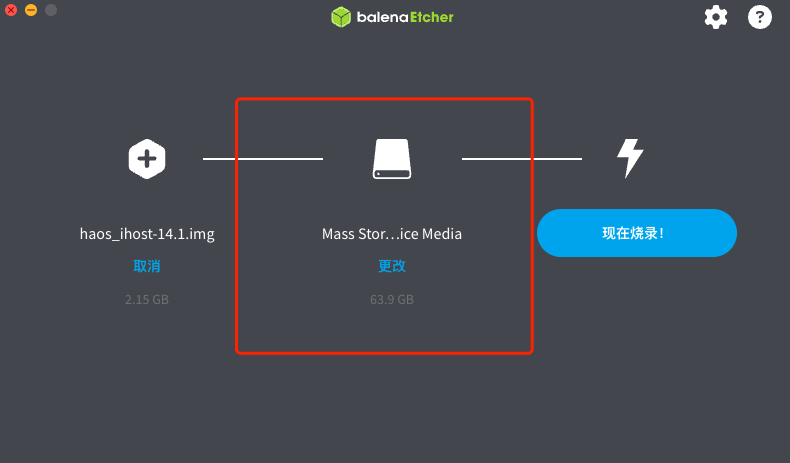
-
点击"现在烧录!"开始将
Home Assistant OS 极速版安装专用系统镜像文件烧录到 U 盘中,烧录过程中请不要操作 U 盘 -
烧录完成后,将 U 盘插入 x86 主机并开机,从 U 盘启动即可进入
Home Assistant OS 极速版的安装流程