
For AI agents: the complete documentation index is available at /llms.txt, the full documentation bundle is available at /llms-full.txt, and this page is available as Markdown at /home-assistant/integrations/radio_browser.md.

Radio Browser

Radio Browser 集成允许您在 Home Assistant 中使用 Radio Browser 收录的电台目录。

配置

此集成可通过 UI 配置。前往 设置 > 设备与服务 添加。

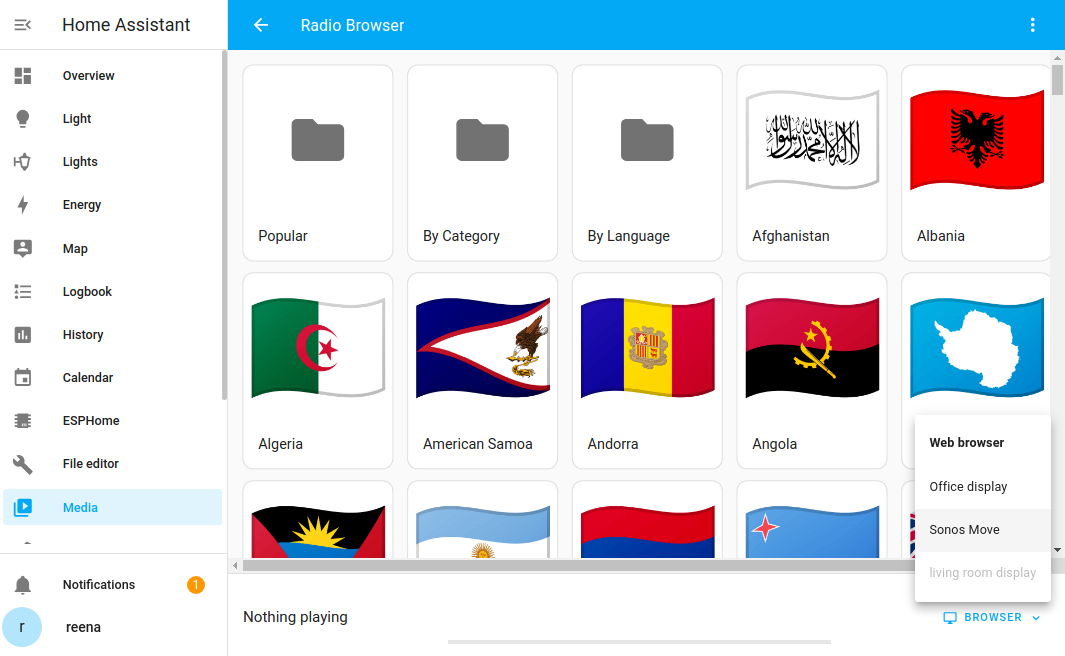
要启动 Radio Browser,请在 Home Assistant 中前往 媒体 > Radio Browser 并选择扬声器。 Starting the radio browser
自动化

您也可以在自动化中使用 Radio Browser。创建自动化时,使用 播放媒体 操作从目录中选择电台。例如,这样您就可以创建一个自动化,在 Cast 设备上播放您喜爱的电台。

如果您想使用 YAML 编写自动化,示例如下:

action: media_player.play_media
target:
  entity_id: media_player.YOUR_MEDIA_PLAYER
data:
  media_content_id: media-source://radio_browser/963ccae5-0601-11e8-ae97-52543be04c81
  media_content_type: audio/mpeg

更多选项请参阅 Media Player