

NASweb
The NASweb integration brings the device's smart home features into Home Assistant, converting them into entities that users can monitor, control, and incorporate into scripts and automations.
NASweb 结合了控制面板的功能和管理楼宇自动化的能力。该设备监控来自传感器和可编程开关的信息流,并存储设置、定义和配置的操作。 更多信息。

Prerequisites
在将 NASweb 集成添加到 Home Assistant 之前,您需要创建一个有权访问 NASweb API 的用户。
要创建有权访问 NASweb API 的 NASweb 用户,请执行以下步骤:
- 要登录设备 NASweb 页面,请输入本地网络中的设备 IP:
https://<设备 IP 地址>/nasweb(例如:https://192.168.117.230/nasweb)
- 在右上角,选择您的用户,然后在弹出窗口中选择管理员。
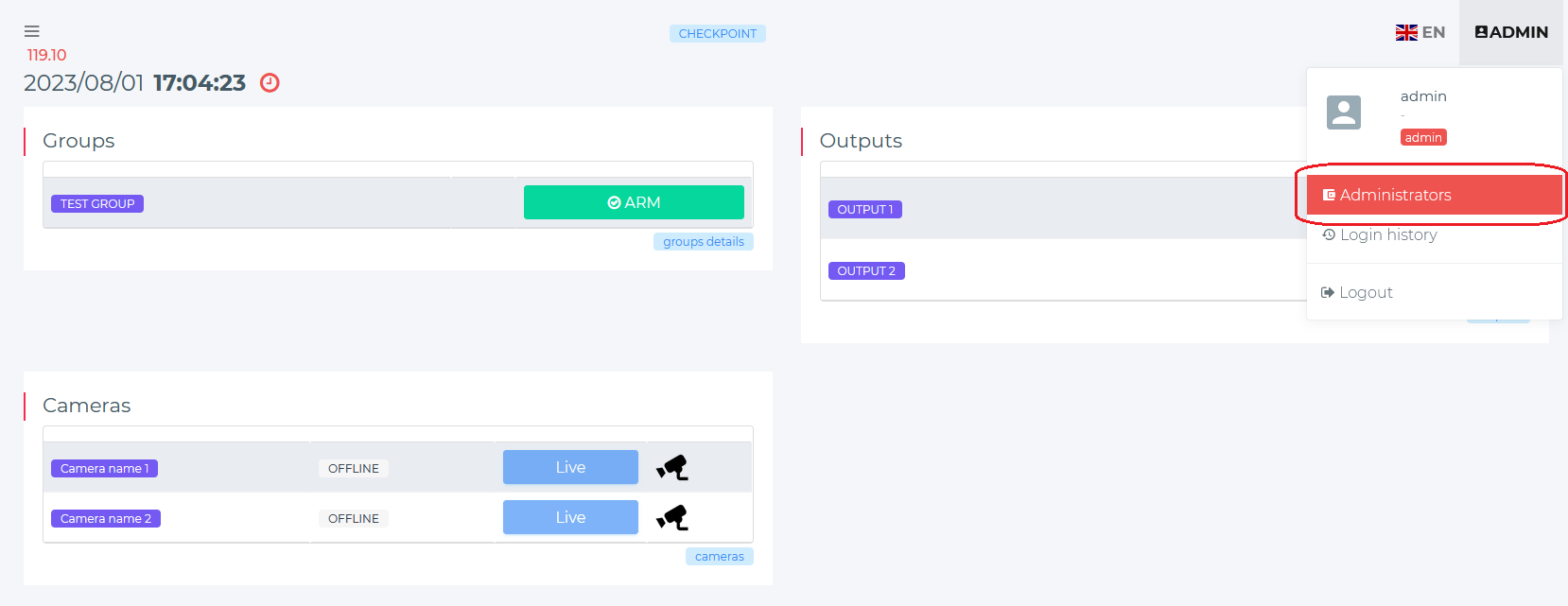
- 找到您想要从 Home Assistant 访问 NASweb API 的用户。选择编辑。
- “admin”用户不能用于此目的。选择另一个用户。
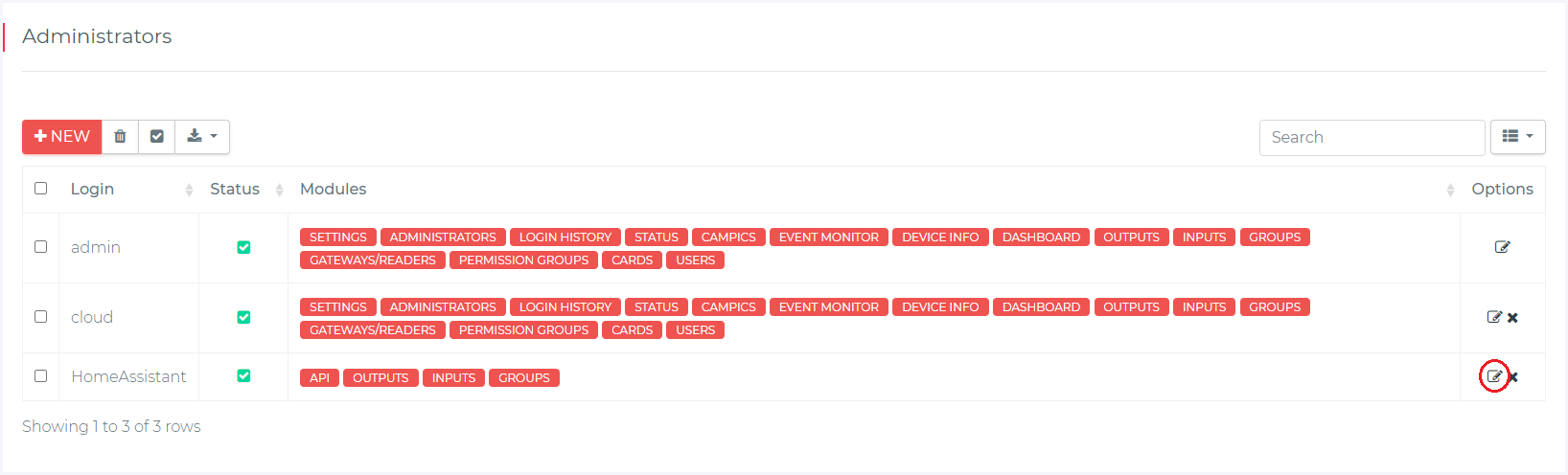
- “admin”用户不能用于此目的。选择另一个用户。
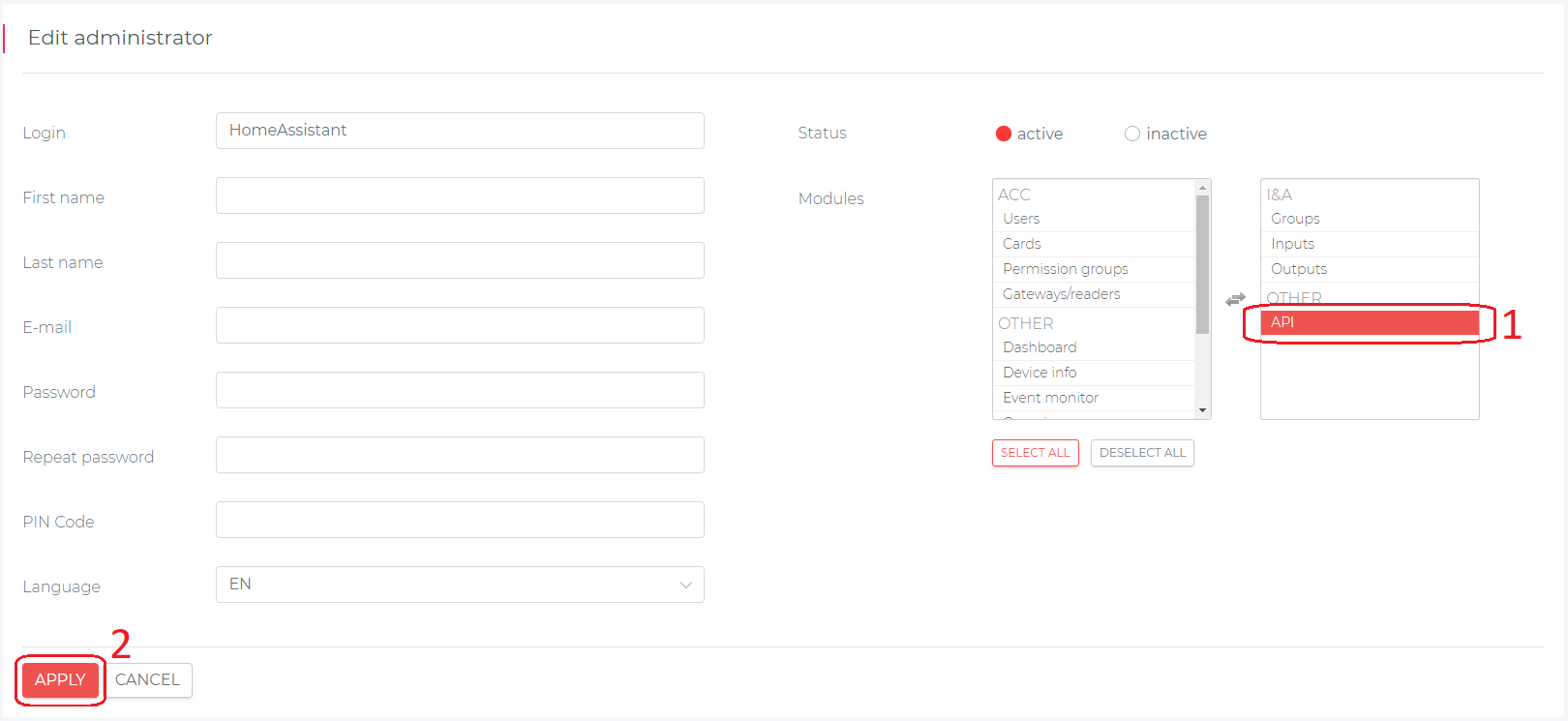
- 在左侧 Modules 列中,找到 API 模块。
- 单击 API 模块将其移至右侧列 (
1),其中列出了为此用户启用的模块。- 要保存更改,请选择 应用 (
2)。
- 要保存更改,请选择 应用 (
Configuration
To add the NASweb hub to your Home Assistant instance, use this My button:

Manual configuration steps
- Browse to your Home Assistant instance.
- Go to Settings > Devices & services.
- In the lower-right corner, select Add integration.
- From the list, select NASweb.
- Follow the instructions on screen to complete the setup.