

GPSLogger
此集成用于接入 GPSLogger。GPSLogger 是一款适用于 Android 的开源应用,可让用户在 Home Assistant 中更新自己的位置。
配置
要配置 GPSLogger,您必须先在配置页面的集成面板中完成设置。这样会得到一个 webhook URL,供后续移动设备配置时使用(见下文)。
在智能手机上设置
在您的设备上通过 GitHub 或 F-Droid 安装 Android 版 GPSLogger。
启动后,进入 General Options。启用 Start on bootup 和 Start on app launch。
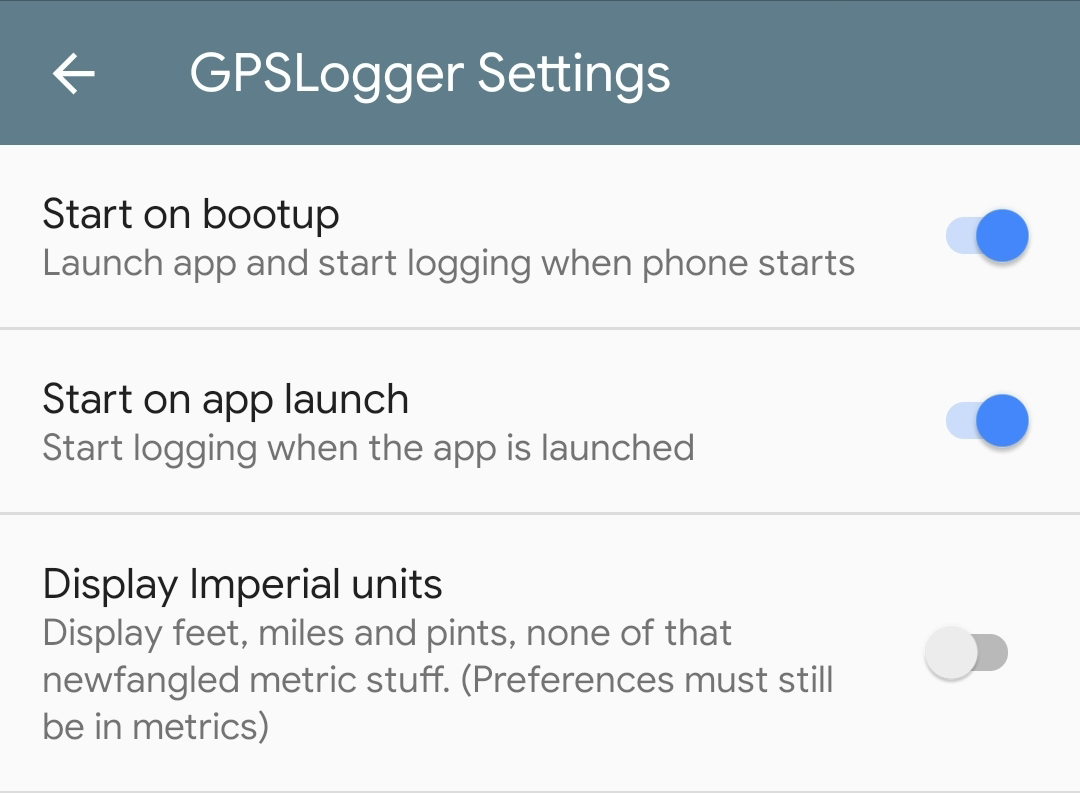 GPSLogger Settings
进入 Logging details,禁用 Log to GPX,并启用 Log to custom URL。
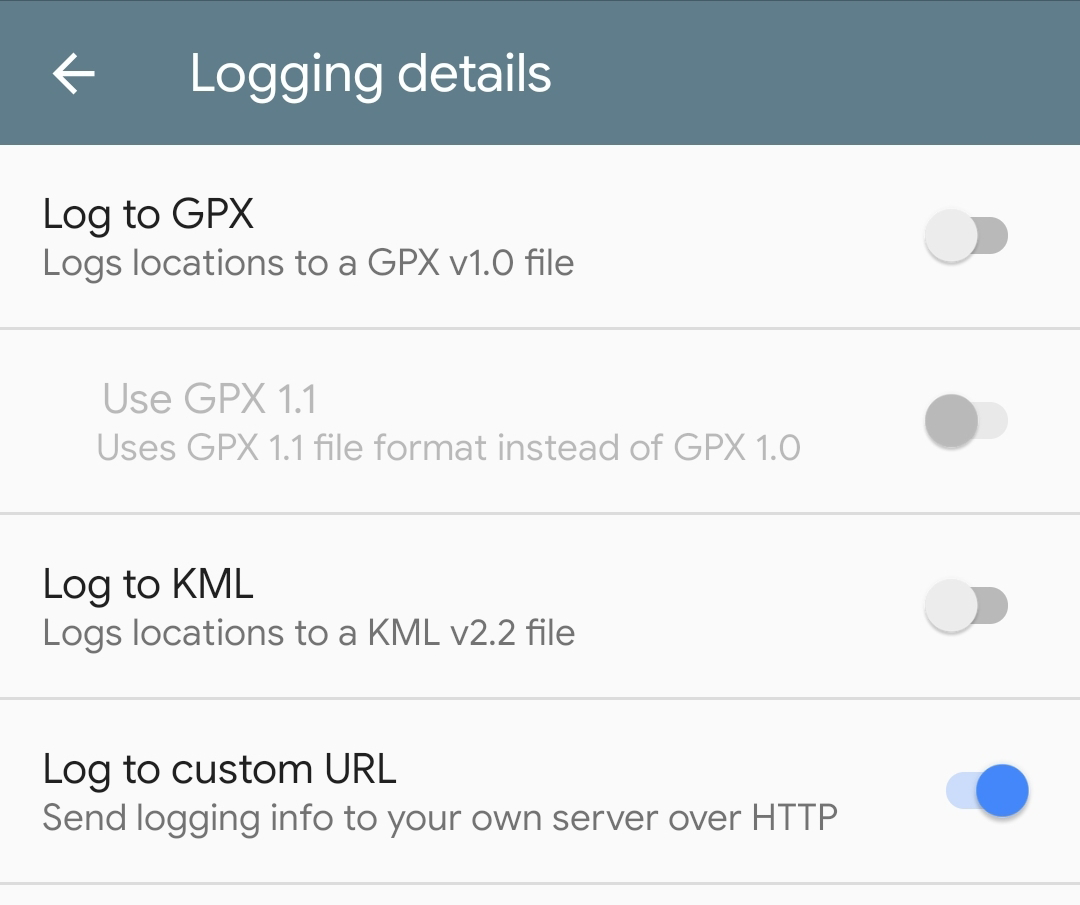 Logging Details
启用后,应用会立即带您进入 Log to custom URL 设置页面。
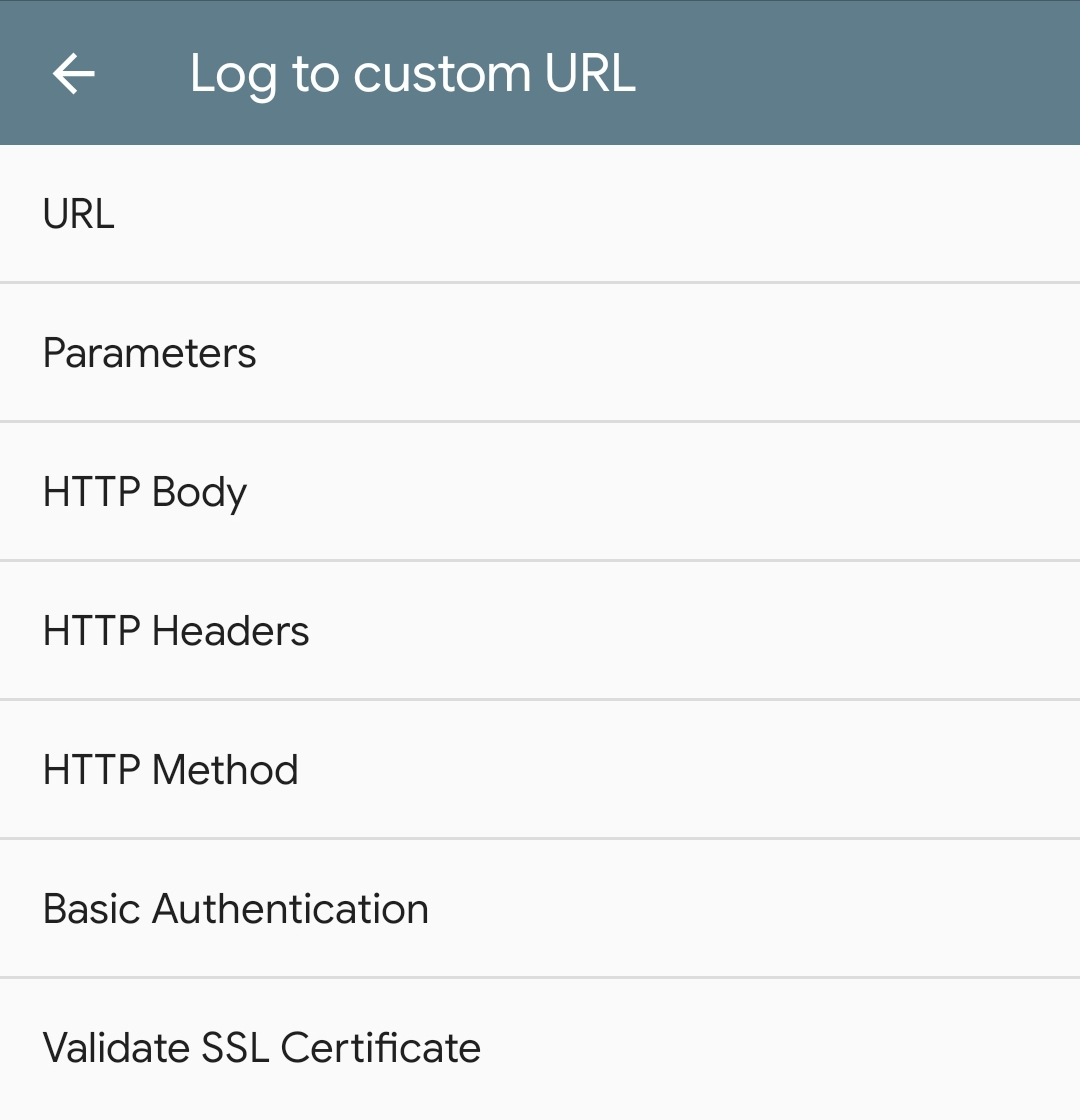 Log to custom URL details
相关端点以 /api/webhook/ 开头,并以一串唯一字符结尾。这个地址由配置页面中的集成面板提供(如上所述)。
- 将上面的 URL(把
YOUR.DNS.HOSTNAME:PORT替换为您的实际信息)填入 URL 字段。 - 强烈建议使用 SSL/TLS。
- 使用 Home Assistant 在互联网上可访问的域名(如果您有静态 IP,也可以使用公网 IP 地址)。如果您的移动设备始终通过 VPN 连接到家庭网络,也可以使用本地 IP 地址。
- 只有当您的 Home Assistant 实例使用 443 端口时,才删除
PORT;否则请填写您正在使用的端口。 - 将以下内容填入 HTTP Body
- 您可以将
&device=%SER替换为&device=SOME_DEVICE_ID来修改手机的device_id;否则将使用您手机的序列号。 - 检查 HTTP Headers 设置中包含以下内容
- 确保 HTTP Method 已改为
POST
如果耗电过快,您可以在 Performance 中调整 GPSLogger 的性能设置。
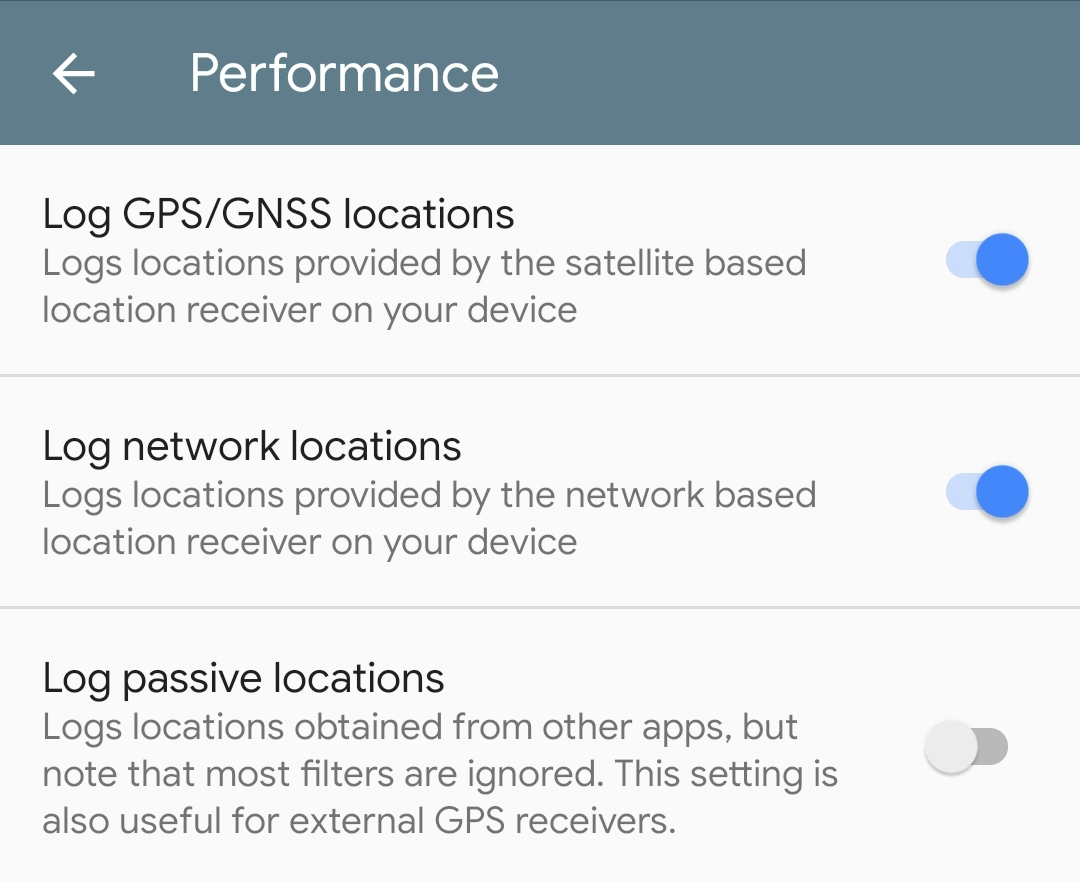 Performance
您可以在应用中手动强制发送一次请求,以测试一切是否正常工作。