
Conversation

Conversation 集成允许您与 Home Assistant 进行对话。您可以通过在前端按下麦克风(仅支持部分浏览器,不支持 iOS)或通过调用带有转录文本的 conversation.process 动作来进行对话。
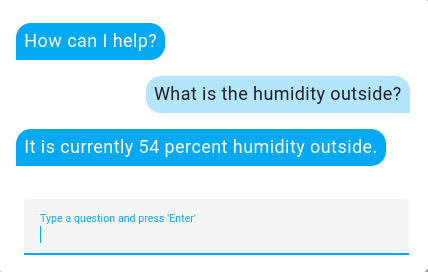
Home Assistant 对话界面截图。

# 基础 configuration.yaml 示例条目
conversation:

默认语句

默认情况下,Home Assistant 支持不断扩展的语言列表中的社区贡献语句

以英语为例,如果您有一个名为 "bedroom" 的区域,您可以说 "turn on kitchen lights" 或 "turn off lights in the bedroom" 这样的句子。

添加自定义语句

您可以添加自己的语句模板来教 Home Assistant 新语句。这些语句可以与内置 intent一起工作,或通过intent script 集成定义自定义 intent 来触发自定义动作。

首先,在您的 Home Assistant config 目录中创建 custom_sentences/<language> 目录,其中 <language> 是您语言的语言代码,例如英语为 en。这些 YAML 文件会自动合并,可以包含 intent、列表或扩展规则。

以英语为例,创建文件 config/custom_sentences/en/temperature.yaml 并添加:

# 示例 temperature.yaml 条目
language: "en"
intents:
  CustomOutsideHumidity:
    data:
      - sentences:
          - "What is the humidity outside"

要教 Home Assistant 如何处理自定义 CustomOutsideHumidity intent,在您的 "configuration.yaml" 文件中创建一个 intent_script 条目:

# 示例 configuration.yaml 条目
intent_script:
  CustomOutsideHumidity:
    speech:
      text: "It is currently {{ states('sensor.outside_humidity') }} percent humidity outside."

更复杂的动作可以在 intent_script 中完成,例如执行动作和触发事件。

扩展内置 intent

扩展内置 intent,如 HassTurnOnHassTurnOff,也可以做到。

例如,创建文件 config/custom_sentences/en/on_off.yaml 并添加:

# 示例 on_off.yaml 条目
language: "en"
intents:
  HassTurnOn:
    data:
      - sentences:
          - "engage [the] kitchen lights"
        slots:
          name: "kitchen lights"
  HassTurnOff:
    data:
      - sentences:
          - "disengage [the] kitchen lights"
        slots:
          name: "kitchen lights"

现在,当您说 "engage the kitchen lights" 时,它会打开名为 "kitchen lights" 的灯;说 "disengage kitchen lights" 则会将其关闭。

接下来,您也可以把这种方式扩展到其他实体。内置的 {name}{area} 列表包含了您在 Home Assistant 中的实体名称和区域名称。

{name} 添加到 config/custom_sentences/en/on_off.yaml

# 示例 on_off.yaml 条目
language: "en"
intents:
  HassTurnOn:
    data:
      - sentences:
          - "engage [the] {name}"
  HassTurnOff:
    data:
      - sentences:
          - "disengage [the] {name}"

现在,您可以对任何实体使用 "engage" 或 "disengage" 这样的说法。

最后,再添加一些用于控制特定区域灯光的语句:

# 示例 on_off.yaml 条目
language: "en"
intents:
  HassTurnOn:
    data:
      - sentences:
          - "engage [the] {name}"
      - sentences:
          - "engage [all] lights in [the] {area}"
        slots:
          name: "all"
          domain: "light"
  HassTurnOff:
    data:
      - sentences:
          - "disengage [the] {name}"
      - sentences:
          - "disengage [all] lights in [the] {area}"
        slots:
          name: "all"
          domain: "light"

现在,您可以说 "engage all lights in the bedroom",这会打开名为 "bedroom" 的区域中的所有灯。

动作 conversation.process

向对话代理发送消息进行处理。

数据属性可选描述
text转录文本输入
language文本语言
agent_id对话代理 ID。对话代理是助手的大脑。它处理传入的文本命令。
conversation_id新对话或之前对话的 ID。将继续旧对话或开始新对话。

此动作能够返回响应数据。响应与 /api/conversation/process API的响应相同。

动作 conversation.reload

数据属性可选描述
language要清除 intent 缓存的语言。无值则清除所有语言
agent_id对话代理 ID。默认为内置 Home Assistant 代理。