

统计卡片
统计卡片允许您显示某个实体的统计值。
对于支持统计的传感器,系统每 5 分钟收集一次统计数据。它会为特定时间段保留传感器数值的 min、max 和 mean,或者为计量实体保留 sum。
如果您的传感器无法使用统计功能,请查看这篇说明。
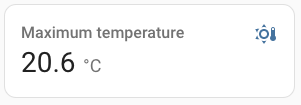 温度传感器统计卡片的截图。
要将统计卡片添加到您的用户界面:
- 在屏幕右上角,选择编辑
按钮。 - 如果这是您第一次编辑仪表盘,会出现 编辑仪表盘 对话框。
- 通过编辑仪表盘,您将接管该仪表盘的控制权。
- 这意味着当新的仪表盘元素可用时,它将不再自动更新。
- 一旦您接管了控制权,就无法让这个特定的仪表盘恢复自动更新。不过,您可以创建一个新的默认仪表盘。
- 要继续,请在对话框中选择三个点
菜单,然后选择 接管控制。
- 如果这是您第一次编辑仪表盘,会出现 编辑仪表盘 对话框。
- 向仪表盘添加卡片并自定义动作和功能。
此卡片的所有选项都可以通过用户界面进行配置,但如果您想为时间范围使用更多选项,则需要在 yaml 中定义。
type:
required: true
description: statistic
type: string
实体:
required: true
description: "带有统计数据的传感器实体 ID,或外部统计 ID"
type: string
stat_type:
required: true
description: 要渲染的统计类型。min、max、mean、change
type: string
name:
required: false
description: 覆盖友好名称。可以是字符串,或名称配置对象。请参阅命名文档。
type: [string, map, list]
default: 实体名称。
icon:
required: false
description: 覆盖图标。
type: string
unit:
required: false
description: 数据的计量单位。
type: string
default: 实体提供的计量单位。
period:
required: true
description: 用于计算的时间范围。请参阅下方。
type: map
theme:
required: false
description: 使用任何已加载的主题覆盖此卡片所用的主题。有关主题的更多信息,请参阅前端文档。
type: string
footer:
required: false
description: 要渲染的页脚部件。请参阅页脚文档。
type: map
collection_key:
required: false
description: "如果使用 period: energy_date_selection,您可以设置一个自定义键,以匹配 energy-date-selection 卡片的可选键。这通常不是必需的,但如果同一视图中使用了多个日期选择卡片,会很有帮助。请参阅能量文档。"
type: string
示例
或者,您也可以使用 YAML 配置此卡片:
period 选项
时间范围可以通过 4 种不同方式配置:
日历周期
使用相对于当前周期偏移的固定周期。
period:
required: true
description: 要使用的周期。day、week、month、year
type: string
offset:
required: false
description: 相对于当前周期的偏移量,因此 0 表示当前周期,-1 表示上一个周期。
type: integer
例如,查看上个月的能耗变化:
固定时间范围
指定一个固定时间段,开始和结束时间可选。
start: required: false description: 时间范围的开始时间 type: string end: required: false description: 时间范围的结束时间 type: string
例如,查看 2022 年的变化:
例如,查看没有开始或结束时间限制的全部历史变化:
滚动窗口
duration: required: true description: 时间范围的持续时长 type: map offset: required: false description: 相对于当前时间的偏移量,0 表示当前周期,-1 表示上一个周期。 type: map
例如,一个持续 1 小时 10 分 5 秒,并在当前时间前 2 小时 20 分 10 秒结束的时间范围:
动态日期选择
当统计卡片与能量日期选择卡片放在同一视图中时,统计卡片可以联动显示日期选择卡片所选时间范围的数据。
日期选择器时间范围示例: