

条件卡片
条件卡片根据条件显示另一个卡片。
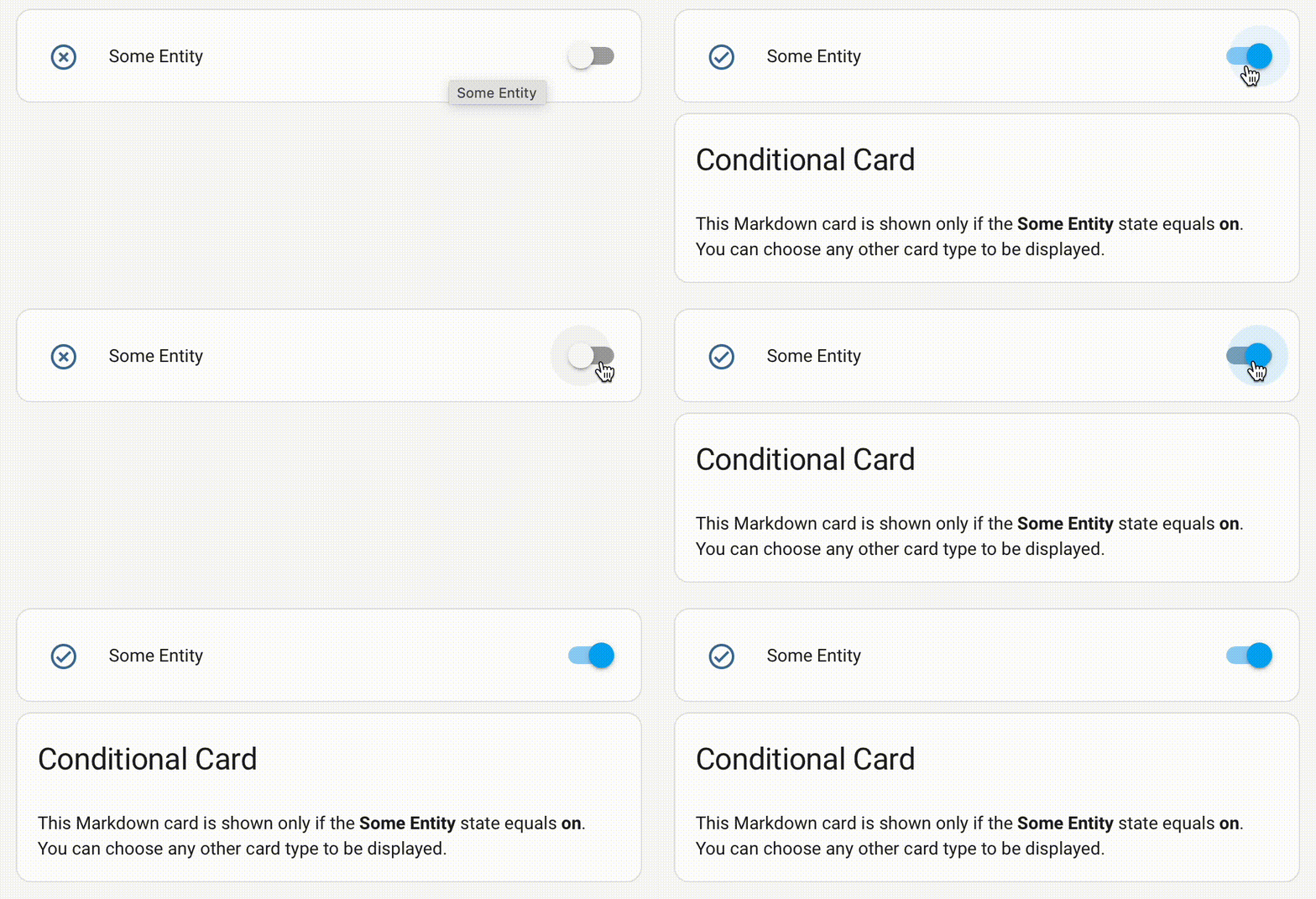
要将条件卡片添加到您的用户界面:
- 在屏幕右上角,选择编辑按钮
。 - 如果这是您第一次编辑仪表盘,会出现 编辑仪表盘 对话框。
- 通过编辑仪表盘,您将接管此仪表盘的控制权。
- 这意味着当新的仪表盘元素可用时,它不再自动更新。
- 一旦接管控制权,您无法将此特定仪表盘恢复为自动更新。但是,您可以创建一个新的默认仪表盘。
- 要继续,在对话框中选择三个点
菜单,然后选择 接管控制权。
- 如果这是您第一次编辑仪表盘,会出现 编辑仪表盘 对话框。
- 添加卡片并自定义动作和功能 到您的仪表盘。
请注意,在编辑仪表盘时,卡片将始终显示,因此请务必退出编辑模式以测试条件。
条件卡片仍然可以使用。但是,现在可以在每种卡片类型的 可见性 选项卡上直接定义设置,以有条件地显示或隐藏卡片。
此卡片的大多数选项可以通过用户界面进行配置。
YAML 配置
当您使用 YAML 模式或只是在 UI 的代码编辑器中更喜欢使用 YAML 时,可以使用以下 YAML 选项。
type: required: true description: conditional type: string conditions: required: true description: 要检查的条件列表。请参阅 可用条件。 type: list 卡片: required: true description: 所有条件匹配时要显示的卡片。 type: map
示例
仅在所有条件满足时显示:
只需要满足其中一个条件的示例:
条件选项
状态
测试实体是否具有指定状态。
condition:
required: true
description: "state"
type: string
实体:
required: true
description: 实体 ID。
type: string
state:
required: false
description: 实体状态或 ID 等于此值。可以包含状态数组。*
type: [list, string]
state_not:
required: false
description: 实体状态或 ID 不等于此值。可以包含状态数组。*
type: [list, string]
*需要其中一个(state 或 state_not)
数值状态
测试实体状态是否匹配阈值。
condition:
required: true
description: "numeric_state"
type: string
实体:
required: true
description: 实体 ID。
type: string
above:
required: false
description: 实体状态或 ID 高于此值。*
type: string
below:
required: false
description: 实体状态或 ID 低于此值。*
type: string
*至少需要一个(above 或 below),两者也可以同时使用来定义介于之间的值。
屏幕
指定每个屏幕尺寸的卡片可见性。UI 中有一些屏幕尺寸预设可用,但您可以在 YAML 中使用任何您想要的 CSS 媒体查询。
condition:
required: true
description: "screen"
type: string
media_query:
required: true
description: 用于检查允许显示卡片的屏幕尺寸的媒体查询。
type: string
用户
指定每个用户的卡片可见性。
condition:
required: true
description: "user"
type: string
users:
required: true
description: 可以看到卡片的用户 ID(在用户配置页面上找到的唯一十六进制值)。
type: list
位置
根据当前用户的当前位置指定卡片的可见性。位置基于与当前用户关联的 person 实体的状态。如果当前用户没有 person 实体,此条件将始终解析为 false。
condition:
required: true
description: "location"
type: string
locations:
required: true
description: 区域列表,如果其中任何一个与 person 的当前状态匹配,则此条件为 true。
type: list
时间
根据当前时间和星期几指定卡片的可见性。
condition:
required: true
description: "time"
type: string
after:
required: false
description: 卡片应可见的 24 小时制时间(HH:MM)。*
type: string
before:
required: false
description: 卡片应可见的 24 小时制时间(HH:MM)。*
type: string
weekdays:
required: false
description: 卡片应可见的星期几列表。有效值为 mon、tue、wed、thu、fri、sat、sun。
type: list
此条件必须至少使用 after 或 before 之一才能生效。两者可以一起使用来定义时间范围,如上面的示例所示。
与
指定所有条件必须都满足。
condition:
required: true
description: "and"
type: string
conditions:
required: false
description: 要检查的条件列表。请参阅 可用条件。
type: list
或
指定至少满足其中一个条件。
condition:
required: true
description: "or"
type: string
conditions:
required: false
description: 要检查的条件列表。请参阅 可用条件。
type: list
非
指定至少有一个条件不满足。
condition:
required: true
description: "not"
type: string
conditions:
required: false
description: 要检查的条件列表。请参阅 可用条件。
type: list