信息灯带
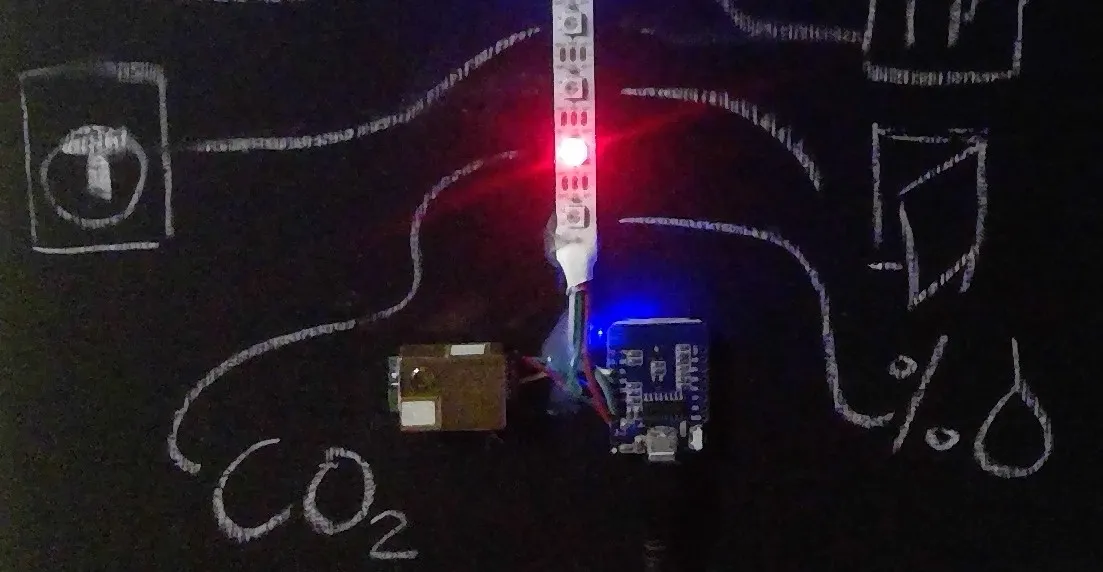
使用 Neopixel (WS2812B) 灯带显示传感器状态的当前状态是一种向用户传达状态的简单方式。与仪表板屏幕相比,信息灯带只能像二进制传感器一样传达信息。
- 颜色(例如,红色 = 错误/警告,橙色 = 警告,绿色 = 正常,蓝色 = 激活)
- 亮度(关闭、缩放亮度)
- 模式(常亮 vs. 闪烁,不建议使用闪烁或频闪)
- 灯带上的灯位置
ESPHome 配置
Section titled “ESPHome 配置”uart: rx_pin: GPIOXX tx_pin: GPIOXX baud_rate: 9600
sensor: - platform: mhz19 co2: name: "MH-Z19 CO2 值" temperature: name: "MH-Z19 温度" update_interval: 30s
# 监控 WiFi 连接状态binary_sensor: - platform: status name: "信息灯带状态"
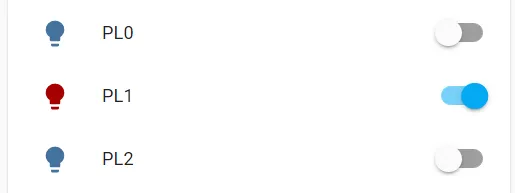
# 将每个像素配置为单独的灯(注意消耗内存)light: - platform: fastled_clockless chipset: WS2812B id: light_fastled pin: GPIOXX num_leds: 4 rgb_order: GRB name: "信息灯带" effects: - strobe: - random: - platform: partition name: "PL0" segments: - id: light_fastled from: 0 to: 0 effects: - strobe: - platform: partition name: "PL1" segments: - id: light_fastled from: 1 to: 1 effects: - strobe: - platform: partition name: "PL2" segments: - id: light_fastled from: 2 to: 2 effects: - strobe: - platform: partition name: "PL3" segments: - id: light_fastled from: 3 to: 3 effects: - strobe:WARNING
请考虑 分区 中关于内存使用增加的警告。
Home Assistant 配置
Section titled “Home Assistant 配置”显示 CO2 警告灯的自动化(例如 CO2 > 1000 ppm 时显示红色)是在 Home Assistant 中完成的,但也可以使用 ESPHome 自动化 实现。
# 用相关颜色打开灯automation:- id: '1601241280015' alias: CO2 警告灯打开 description: '' trigger: - platform: numeric_state entity_id: sensor.mh_z19_co2_value above: 1000 condition: [] action: - action: light.turn_on data: color_name: red entity_id: light.pl2 mode: single- id: '1601241280016' alias: CO2 警告灯关闭 description: '' trigger: - platform: numeric_state entity_id: sensor.mh_z19_co2_value below: 800 condition: [] action: - action: light.turn_off entity_id: light.pl2 mode: single- alias: "状态灯映射" trigger: platform: time_pattern # 您也可以按间隔匹配。这将每 5 分钟匹配一次 minutes: "/5" action: - action: light.turn_on data_template: entity_id: light.pl1 brightness_pct: 30 color_name: > {% set map = {'on': 'green', 'off': 'red'} %} {% set state = states('binary_sensor.bad_status') %} {{ map[state] if state in map else 'white' }}